

What is Draftable Business?
Draftable Business is a document comparison solution for teams and individuals that makes it easy to see what’s changed between two documents. Simply select two versions of a document and Draftable Business will show you every single change in an easy-to-understand viewer.Setting up Draftable Desktop
1
Download Draftable Business here: https://draftable.com/desktop/download/
2
Run the installer & follow the prompts
3
Activate the product by entering your product key
- If you already have a license, your product key should have been sent to your email.
- If you want to start a trial, you can get a trial key here: https://www.draftable.com/book-a-demo
- If you are ready to buy a license, you can see the options here: https://draftable.com/desktop/buy/
4
That’s it! Draftable Business is now setup & ready to use.
Running your first comparison
1
Start Draftable Business
2
The New Comparison launcher will appear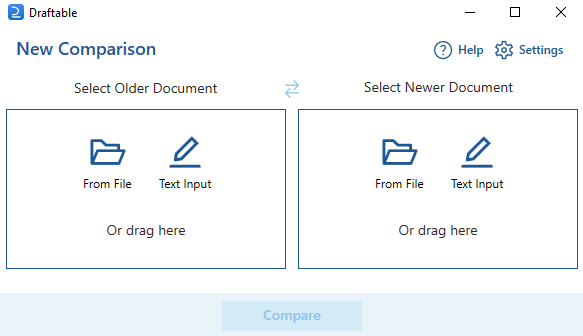
3
Select two documents you want to compare.
The older/original/source document goes on the left.
The newer/revised/modified document goes on the right.
The older/original/source document goes on the left.
The newer/revised/modified document goes on the right.
4
Hit Compare
5
Draftable Business will now be comparing the documents. This can take from a few seconds up to a few minutes, depending on the contents.
6
Once the comparison is complete, the comparison results will load in our comparison viewer window
Reviewing comparison results
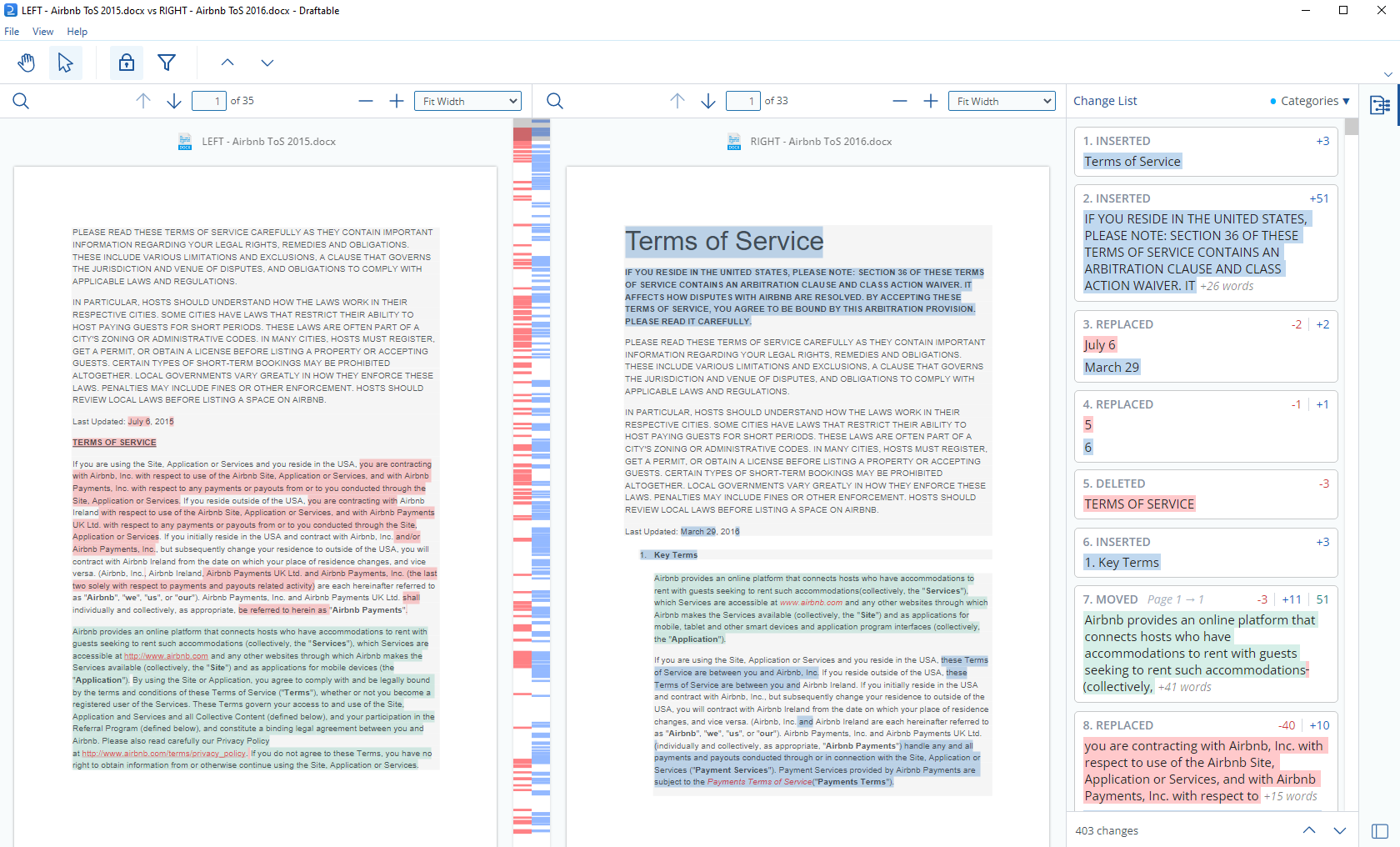
- The older document is displayed on the left, and the newer document is displayed on the right.
- View all changes, and where in the document they sit.
- Navigate the change list to find specific changes.
- Export the comparison results.
- Select the way you view the comparison, with various zoom options.
- Choose which types of changes you want to see.