

The settings menu was reorganised in Draftable Legal 26.6. If you are on 26.6 or later, follow the “26.6 and later” tabs below. On earlier versions, follow “Before 26.6”. To check your version, open Settings. The version number shows at the bottom-left (for example, v26.6.0).
Purpose of the PDF Conversion Engine Setting
The PDF conversion engine setting in Draftable Legal determines how the application handles the conversion of Word documents (DOCX) to PDFs during the document comparison process. This setting significantly impacts the speed and reliability of your document comparisons. In Draftable Legal 26.6 and later, a separate PDF to DOCX conversion engine is also available for comparisons that convert PDFs to Word, and it has its own set of options.Importance of the Setting
Selecting the appropriate PDF conversion engine is crucial because it directly influences the performance of your comparisons when using the ‘Redline in Draftable’ comparison type. For the DOCX to PDF engine, you can leave the setting on Default (recommended) or choose Microsoft Word. Each option has its own advantages, depending on your specific needs and any issues you might encounter.Recommended Settings
DOCX to PDF conversion engine
In Draftable Legal 26.6 and later, the DOCX to PDF conversion engine dropdown has three options: Default (recommended): This is the recommended setting for most users. It uses the Draftable Engine to provide faster and more reliable comparisons within Draftable Legal. The Draftable Engine is optimized for the software, ensuring that document comparisons are performed efficiently and accurately. Draftable Engine: This selects the Draftable Engine explicitly. It behaves the same as Default (recommended). Microsoft Word: This setting should be used if you experience PDF rendering issues. The Microsoft Word engine uses Microsoft’s own capabilities to convert documents, which can be beneficial in cases where the Draftable Engine produces poor formatting in PDF outputs.PDF to DOCX conversion engine
Draftable Legal 26.6 and later also includes a separate PDF to DOCX conversion engine dropdown for comparisons that convert PDFs to Word. It has its own options, with Default (recommended) suited to most users. You only need to change this engine if comparisons that involve converting a PDF to Word produce incorrect or poorly formatted results. If that happens, try one of the other engines, or contact support@draftable.com for guidance on which option suits your documents.How to Configure the PDF Conversion Engine
1
Open the settings menu
-
Via the New Comparison window: open the New Comparison window and click Settings in the top-right corner.
- 26.6 and later
- Before 26.6
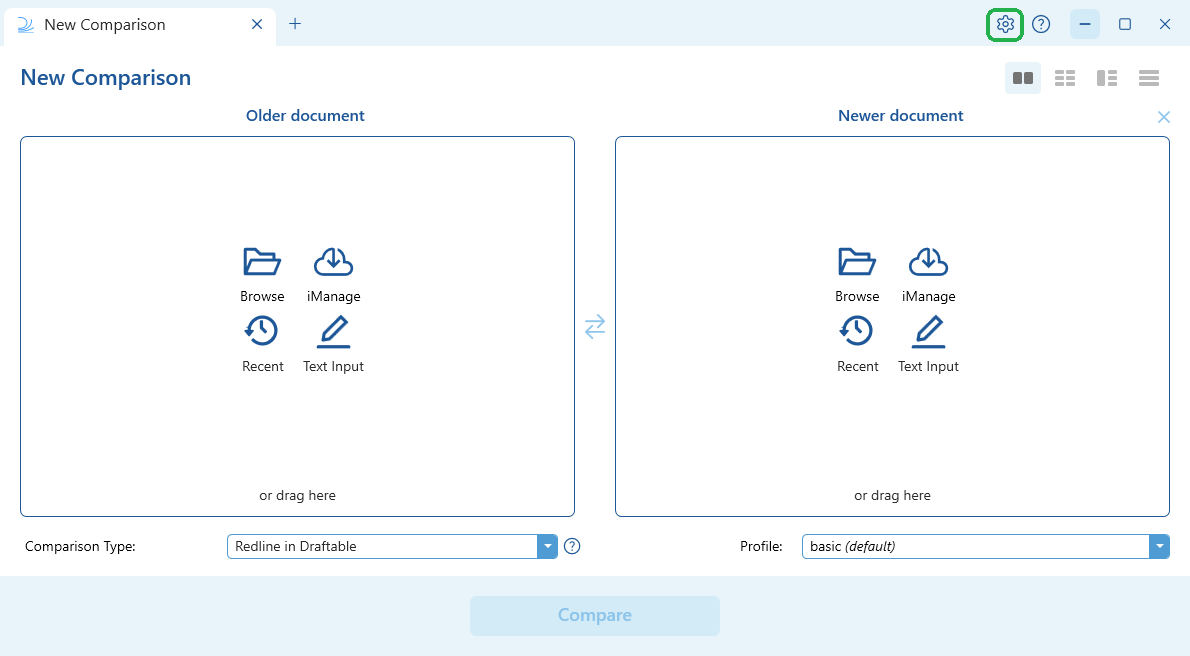
-
Via the taskbar: right-click the Draftable Legal icon in the taskbar and select Settings.
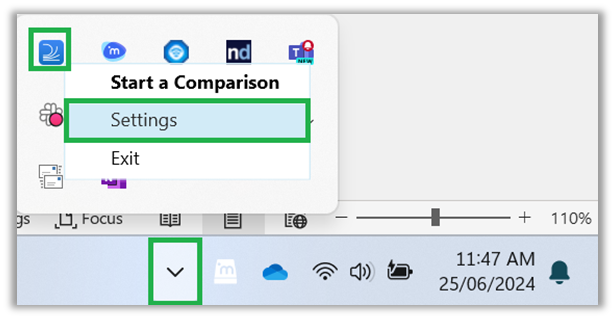
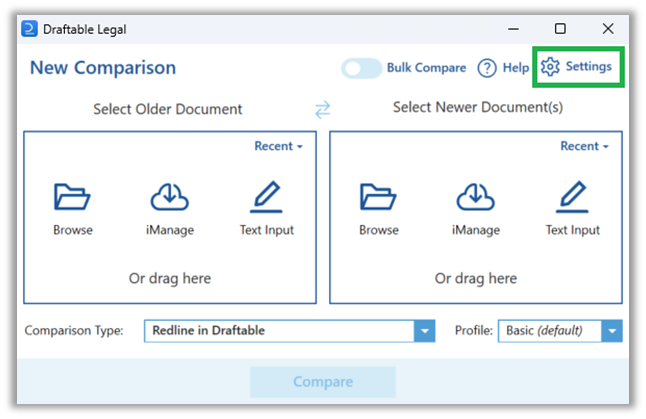
- 26.6 and later
- Before 26.6
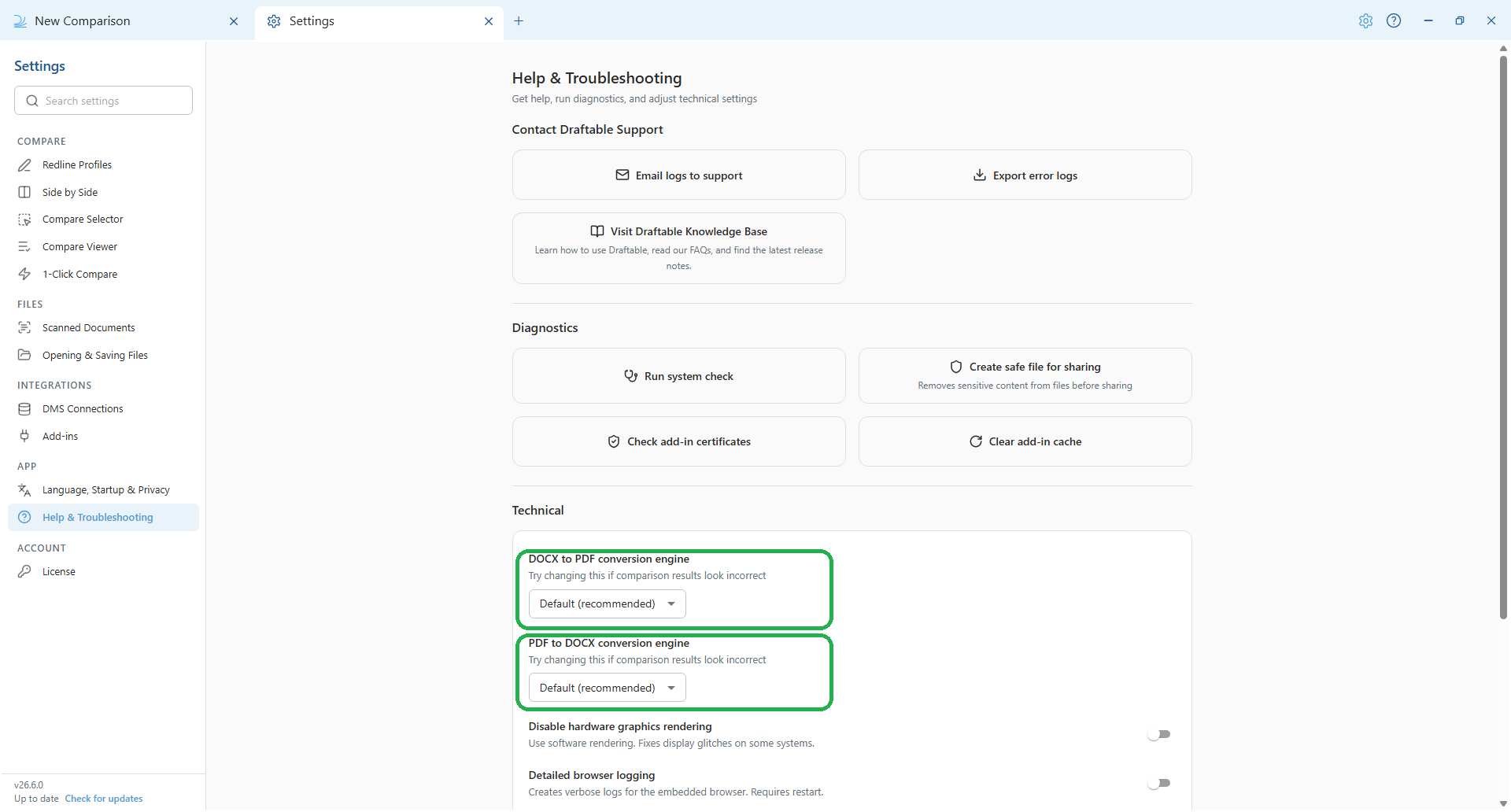
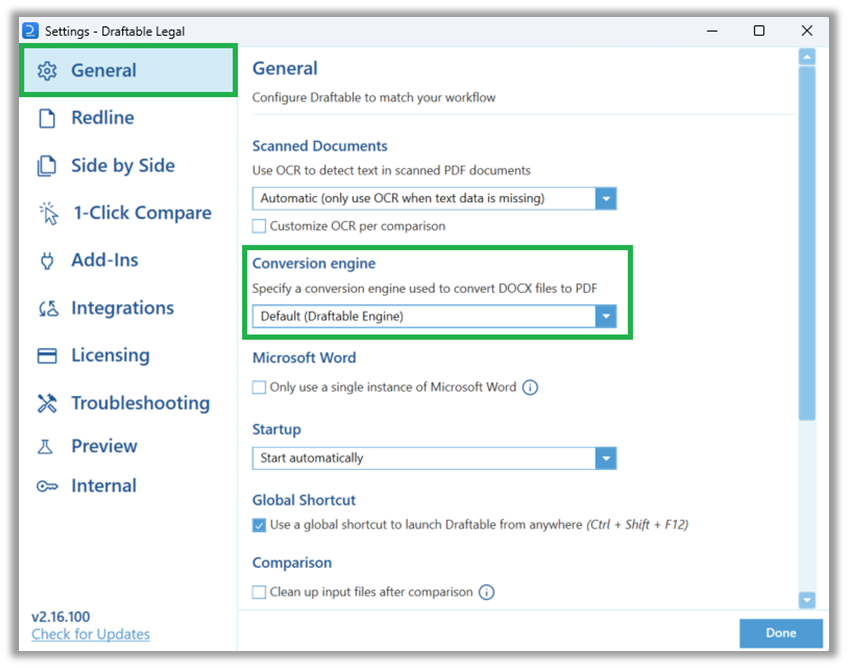
- In the settings menu, select Help & Troubleshooting, then scroll to the Technical section.
- Set DOCX to PDF conversion engine to your preferred engine. Choose Default (recommended) for optimized performance, or Microsoft Word if you experience PDF rendering issues. You can also select Draftable Engine explicitly, which behaves the same as Default (recommended).
- A separate PDF to DOCX conversion engine is available for comparisons that convert PDFs to Word. It has its own options, with Default (recommended) suited to most users. Only change it if these comparisons produce incorrect results.
Extending Group Policy or using Registry Keys for PDF Conversion Engine
For organizations utilizing Group Policy to manage settings across multiple user accounts, the PDF conversion engine can also be configured centrally. This ensures consistency in settings across the enterprise and reduces the need for individual user configuration. A complete guide on using Group Policy can be found here. A complete guide on common Windows Registry configurations for Draftable Legal can be found here.Group Policy and registry key names are unchanged in 26.6. Only the in-app location of the setting moved, and the policy below still applies to all versions.
1
Open Group Policy Editor
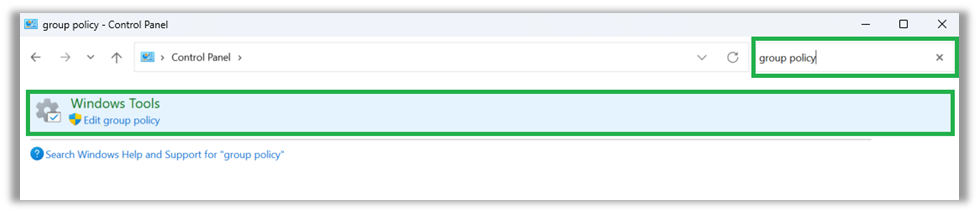
- Navigate to Control Panel > Windows Tools > Edit Group Policy.
2
Configure the DOCX Conversion Engine
- By default the Conversion Engine is set to the Draftable Engine.
- To configure this to use the Microsoft Word engine:
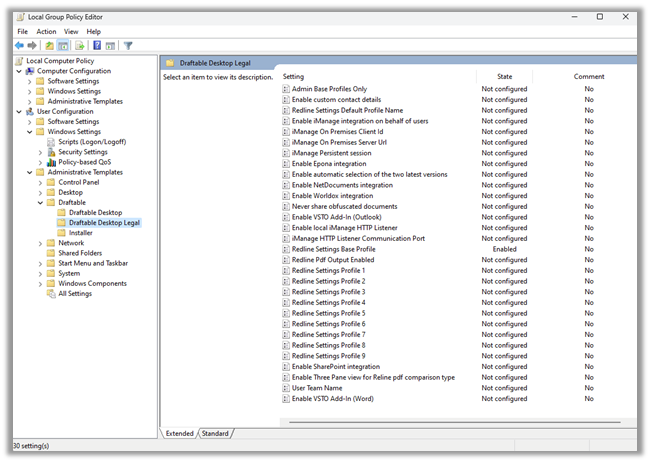
- Under the Draftable settings, locate the ‘DOCX Conversion Engine’ policy.
- Set the policy to ‘Office’ (MS Word).