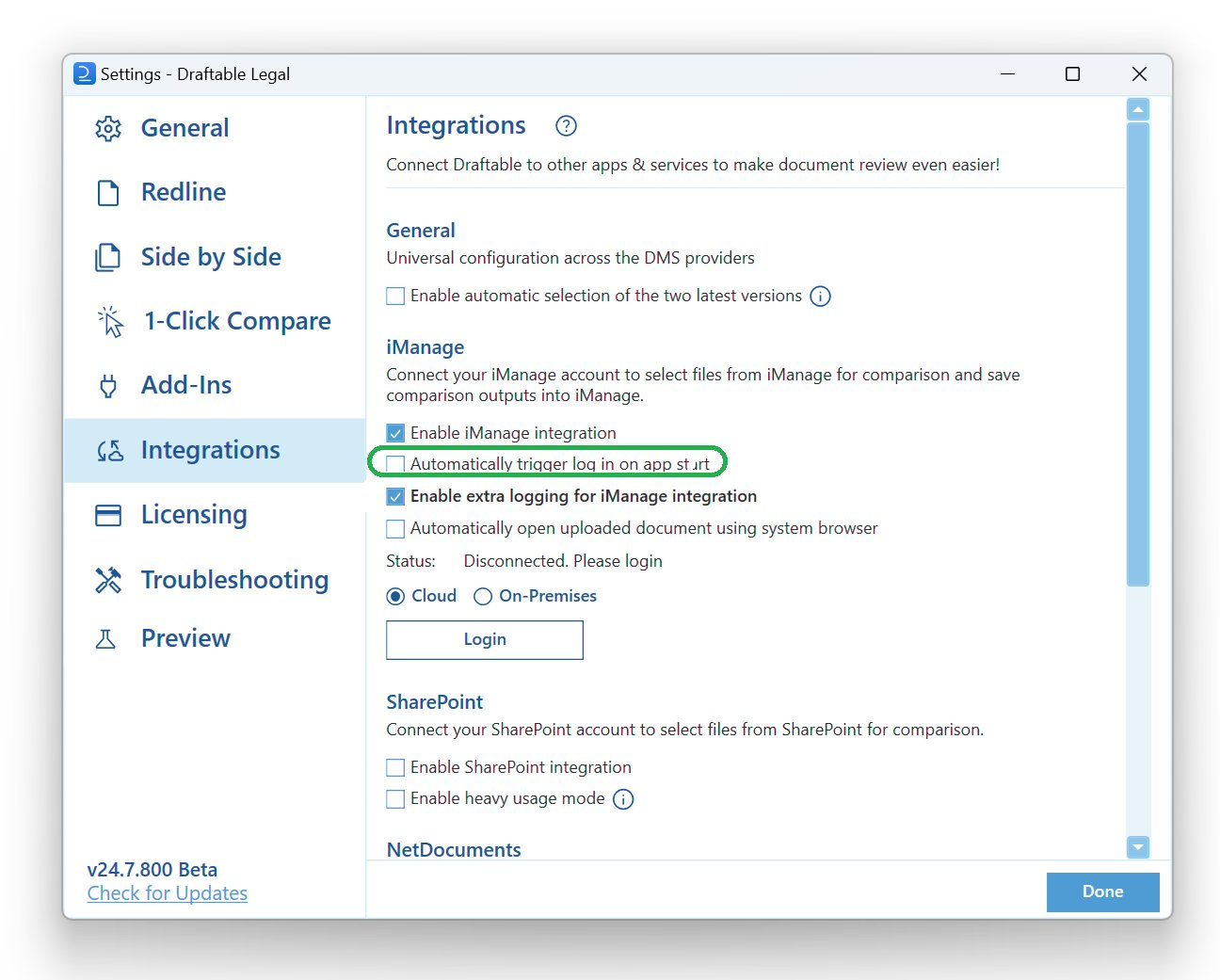
The settings menu was reorganised in Draftable Legal 26.6. If you are on 26.6 or later, follow the “26.6 and later” tabs below. On earlier versions, follow “Before 26.6”. To check your version, open Settings. The version number shows at the bottom-left (for example, v26.6.0).
Cause of the issue
When users try to drag and drop from iManage to Draftable Legal, an error can occur if iManage has not been authenticated with Draftable Legal. This issue usually surfaces after logging into the computer for the first time.Resolution of the issue
To resolve this issue, we have developed a new setting that triggers a login prompt for iManage to Draftable Legal when the application launches for the first time.1
Open the Settings Menu: via the New Comparison Window: Open the New Comparison window and select “Settings” in the top right corner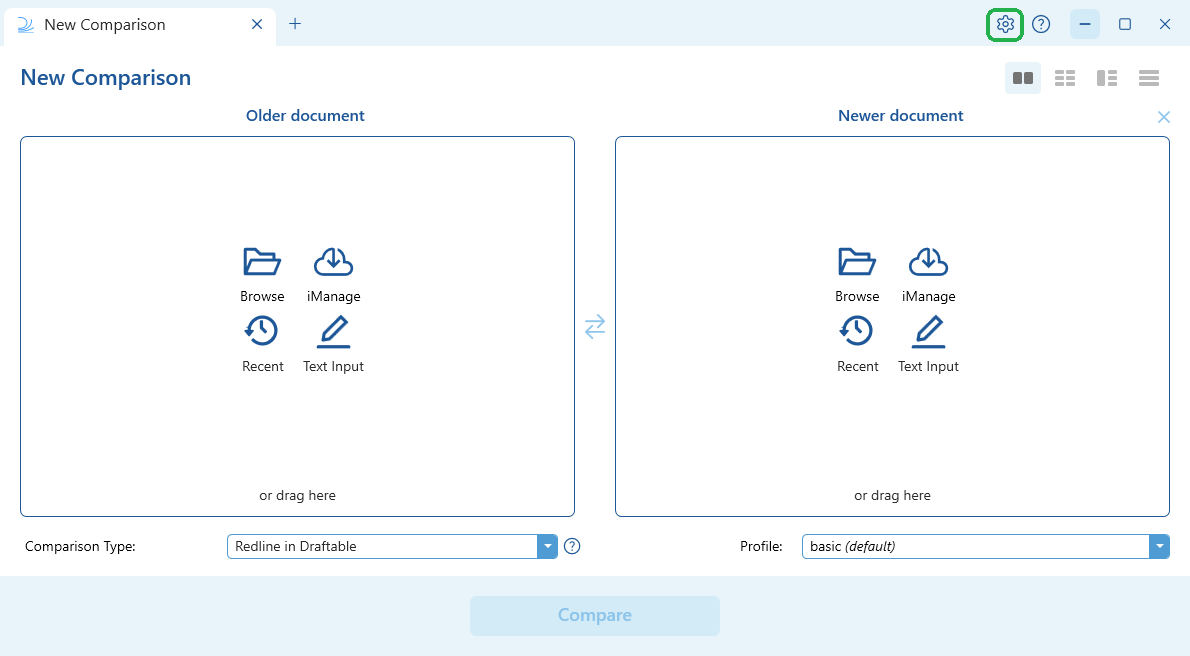
- 26.6 and later
- Before 26.6
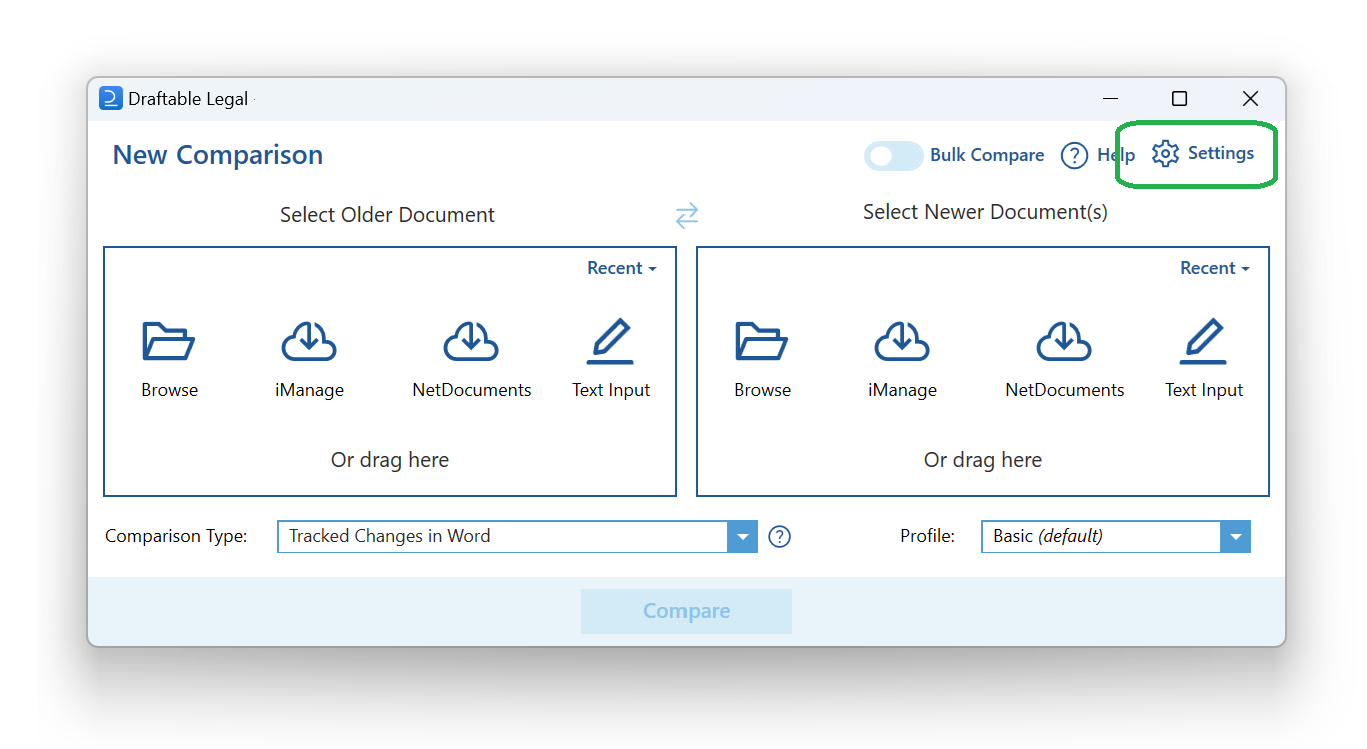
2
Open the iManage settings:
- 26.6 and later
- Before 26.6
In the settings menu, select DMS Connections (under Integrations), then expand the iManage section.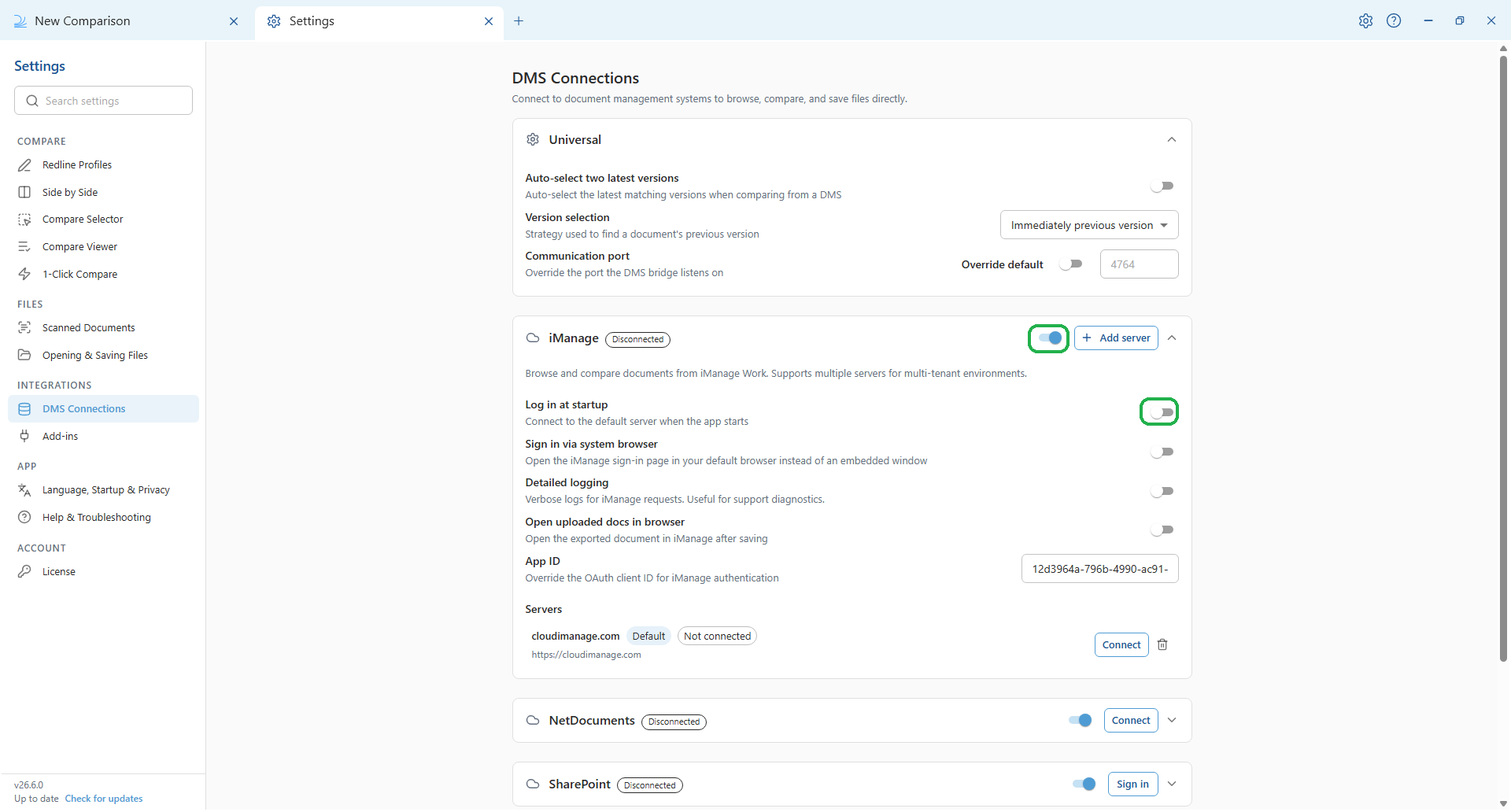
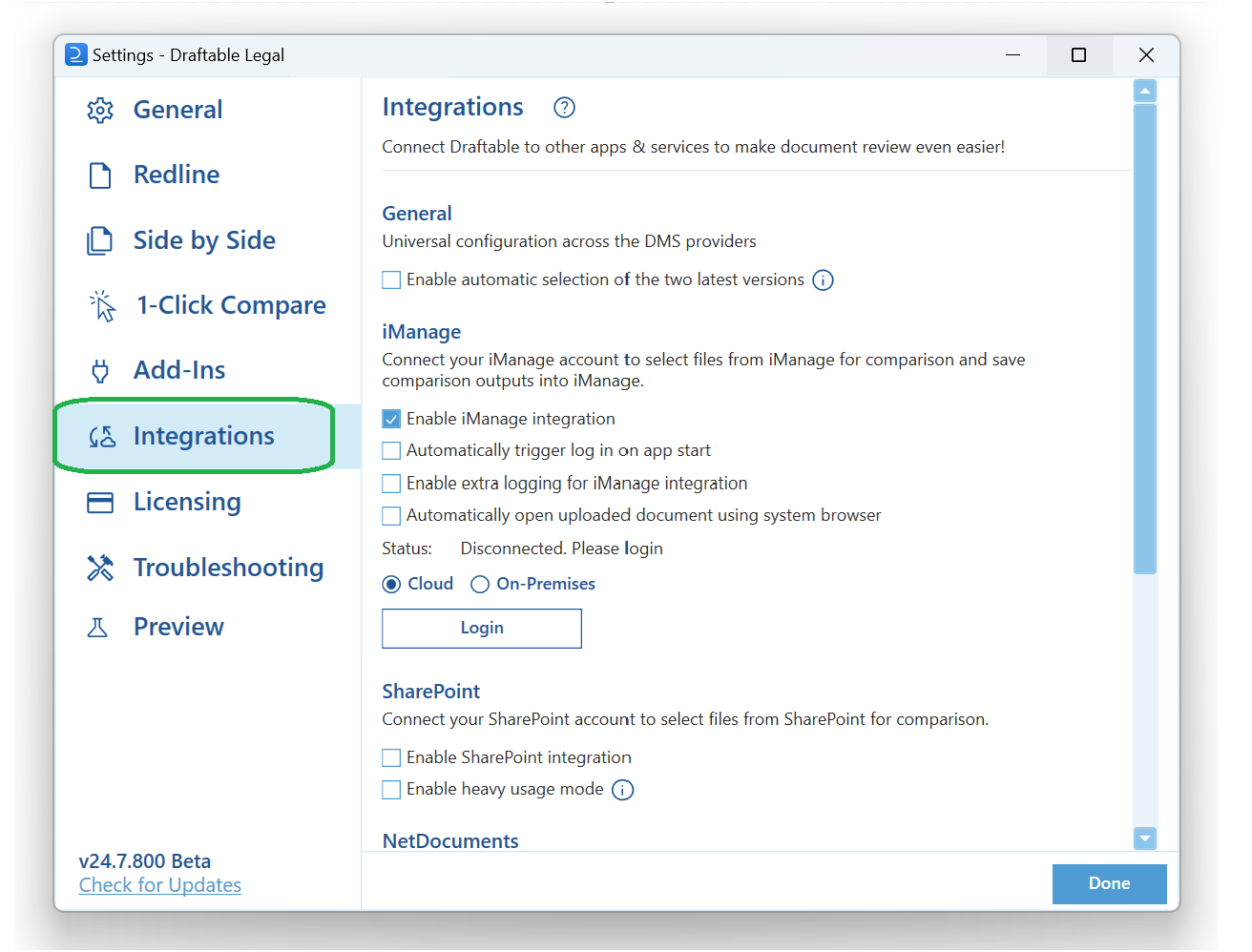
3
Enable the setting:
- 26.6 and later
- Before 26.6
Locate the Log in at startup setting in the iManage section (described as “Connect to the default server when the app starts”) and enable it.