

- Improved accuracy for PDF inputs – comparisons using PDFs are now best-in-class quality thanks to upgraded PDF preprocessing via the Apryse conversion engine.
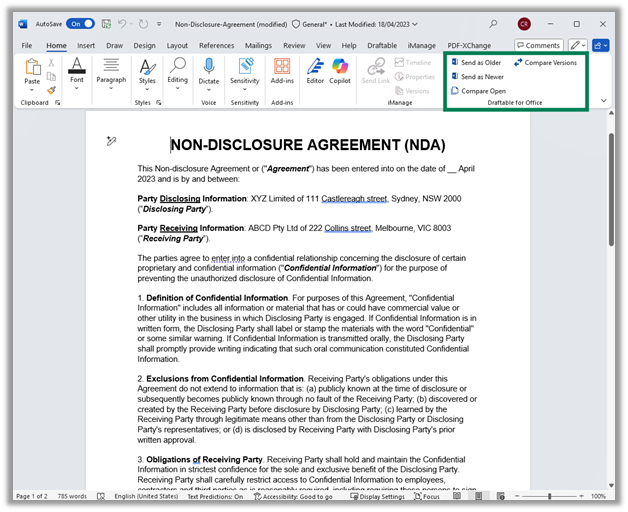
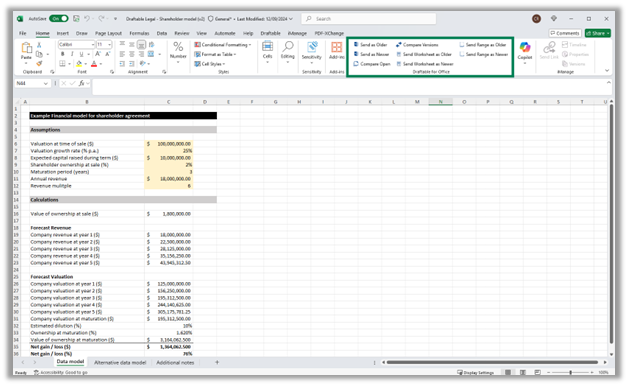
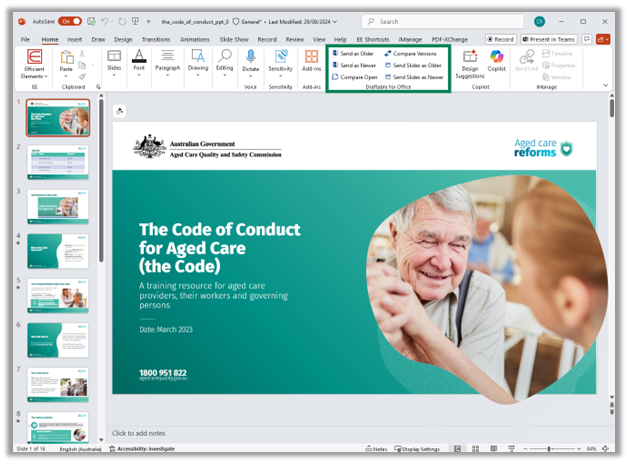
- Future-proofed file selection from Microsoft Office – load files directly from Word, Excel, or PowerPoint into Draftable using our new modern JavaScript add-in “Draftable for Office”.
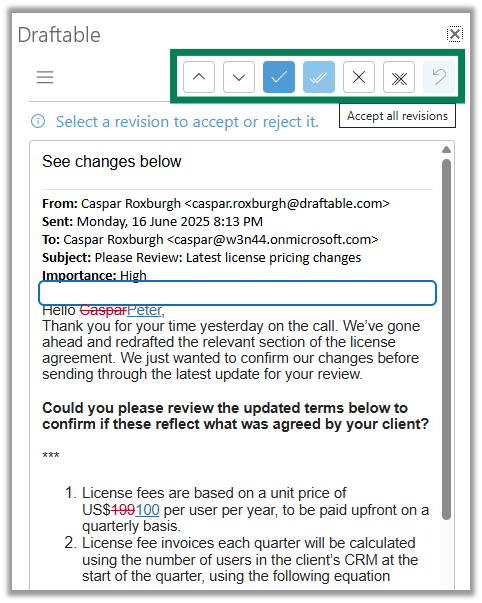
- Faster email reviews – Accept/Reject All commands added to streamline review of redlined emails in Outlook.
- Greater visibility for IT teams – optional organization-level telemetry tagging enables company usage reporting for administrators.
- Multi-tenant iManage support – improved configuration options for on-premise iManage and for multiple iManage tenants per user.
New Features and Improvements
Core Functionality
Improved accuracy and reliability on PDFs
Hot off the heels from our PDF improvements in the September 2025 updates, lawyers can now enjoy more reliable comparisons when using PDF input files, thanks to the addition of the Apryse conversion engine for PDF to DOCX pre-processing. This addition means lawyers using Draftable will have access to the best-in-class PDF comparison quality allowing them to accurately interpret changes to PDF files. The update also ensured the Apryse engine is set as the default for all organizations regardless of previous administrator configuration.Faster “Redline in Email” accept / reject workflows
Our October updates provided a new version of Draftable’s “Redline in Email” Outlook add in (v1.1.26). This update included:- A new Accept All / Reject All option to allow reviewers to process email changes in bulk.
- Enhanced baseline selection logic to improve the accuracy of comparisons using “Compare against earlier email,” helping users avoid mismatched versions during redline creation.
Integration Functions
Modern Microsoft Office add-in for file loading
Draftable now provides a modern JavaScript (JS) add-in for file loading from Word, Excel, and PowerPoint. This one modern Office add in lets users quickly load files into Draftable and removes the dependency on our existing VSTO COM add ins. The add-in can be deployed via the following manifest link:https://dl.draftable.com/addins/office-simple/2.17.0.0/manifest.xmlThe updated add-in works across desktop and web versions of MS Office, making it easier to integrate Draftable comparisons into day-to-day document workflows.
Administrator Features
iManage tenant switching and configuration updates
For firms using on-premise iManage environments, Draftable now supports easier switching between iManage tenants. This is especially valuable for global firms collaborating across multiple regions. Updates include improvements to local configuration options and connection persistence between sessions. Administrators can configure the multiple iManage server URLs for end users via Group Policy, ensuring lawyers aren’t brought into technical configuration workflows.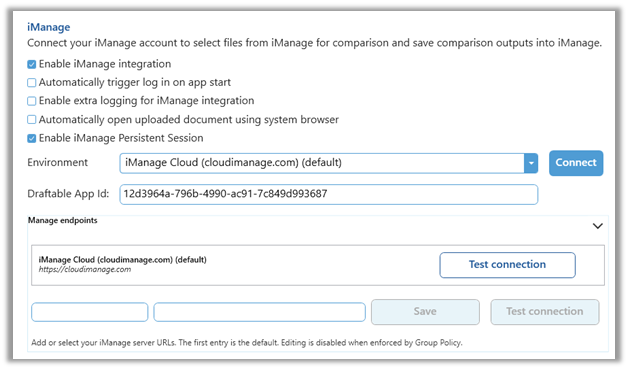
Opt-in usage data reporting via organization-level telemetry tagging
Administrators can now choose to include an organization-level GUID in telemetry data. This enables tracking and reporting of Draftable usage in customer organizations. Administrators can opt-in to this system by adding the GUID via a registry setting change. Once enabled, requests can be made to support@draftable.com for usage data reports covering the following topics:- The number of unique comparisons
- Monthly, weekly or daily active users,
- Comparison reliability (success rates),
- Comparison speed (i.e. pages per second)
- Input document formats compared (e.g. PDF, Word, Excel, PPT, etc)
- Comparison Types used (e.g. Redline in Draftable, Tracked Changes in Word, Side by Side, etc)
- Product versions in use (e.g. v25.10.0)
- Adoption / usage of specific features such as Redline in Email, bulk compare, one click compare, departures table, etc.
Bug Fixes
The October releases (25.10.0, 25.10.100, and 25.10.200) resolved several customer-reported issues:Redline in Email
- Fixed issue where images caused errors in new Outlook
- Resolved bug where the “Change Baseline” button was unresponsive
- Fixed redline corruption due to sentinel values in email formatting
- Fixed issue where comparison results opened in the wrong tab
Excel & PowerPoint
- Resolved issue where Excel redlines produced corrupt
**.xlsx**outputs - Fixed PowerPoint redlines failing due to unsupported gradient colors
- Addressed layout issues caused by table column handling errors
File handling and UI
- Fixed filename collisions when exporting redline files with similar names
- Prevented pre-processing errors caused by invalid output types
- Resolved bug where numbering in RTF redlines was incorrect
- Addressed dialog box text cutoff issues in the Draftable Viewer
Integrations
- Resolved issue affecting NetDocuments comparisons triggered via Draftable Word Add-in when filenames contained special characters
- Fixed bug in 25.10.100 that caused iManage tenant switching to fail in some environments
- Fixed issue where emailing redlines directly from Draftable caused an error
- Fixed crash when comparing text input vs text file
- Fixed failure of “copy” command in Redline in Email feature