Draftable Legal 26.1 series release notes (January 2026)
Draftable Legal 26.1 release notes (January 2026): Text Only Compare mode, smart file ordering, iManage co-authored document support and faster PDF processing.
The January 2026 release of Draftable Legal (v26.1.0) delivers Text Only Compare mode, smarter file ordering, improved integration support for iManage co-authored documents, and faster performance. For a full list of items in all releases, please see our Release Log.Here’s a quick summary of the five most impactful improvements:
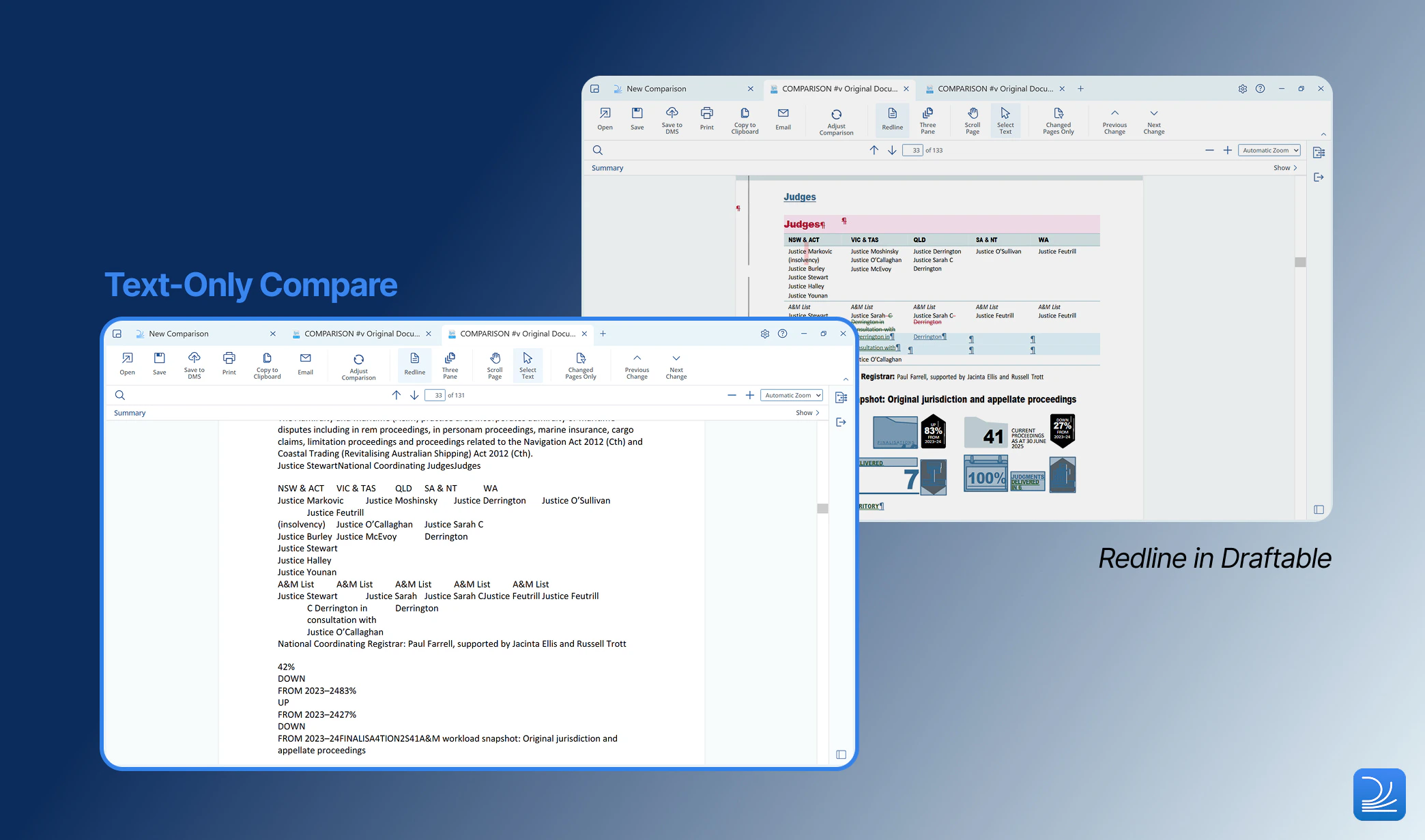
Compare without formatting noise using the new Text Only Compare mode, which strips formatting and focuses purely on document text
Spend less time ordering files with smart file ordering now automatically sorting non-DMS files into older/newer order
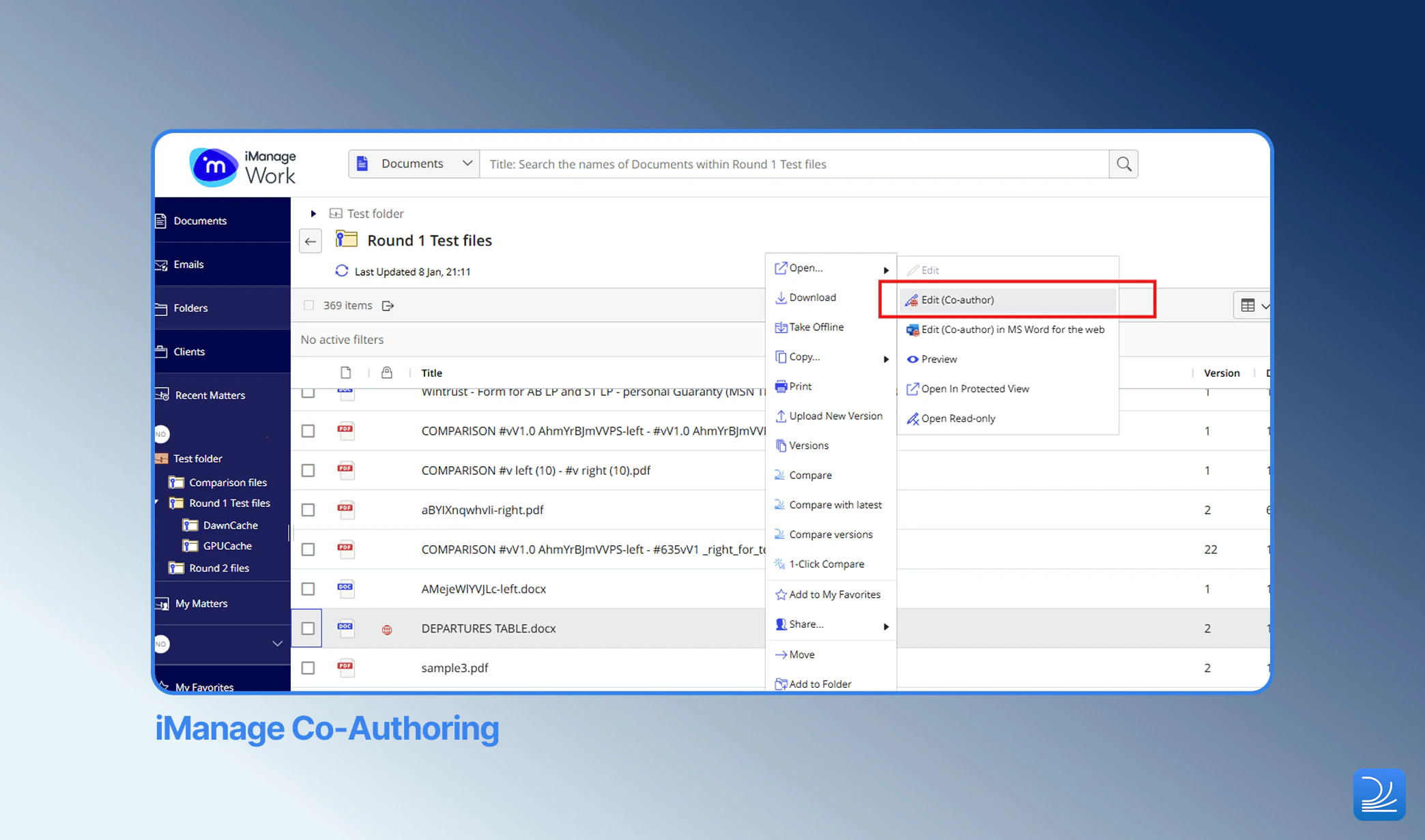
Compare iManage co-authored documents with new support for documents created using Microsoft Word co-authoring
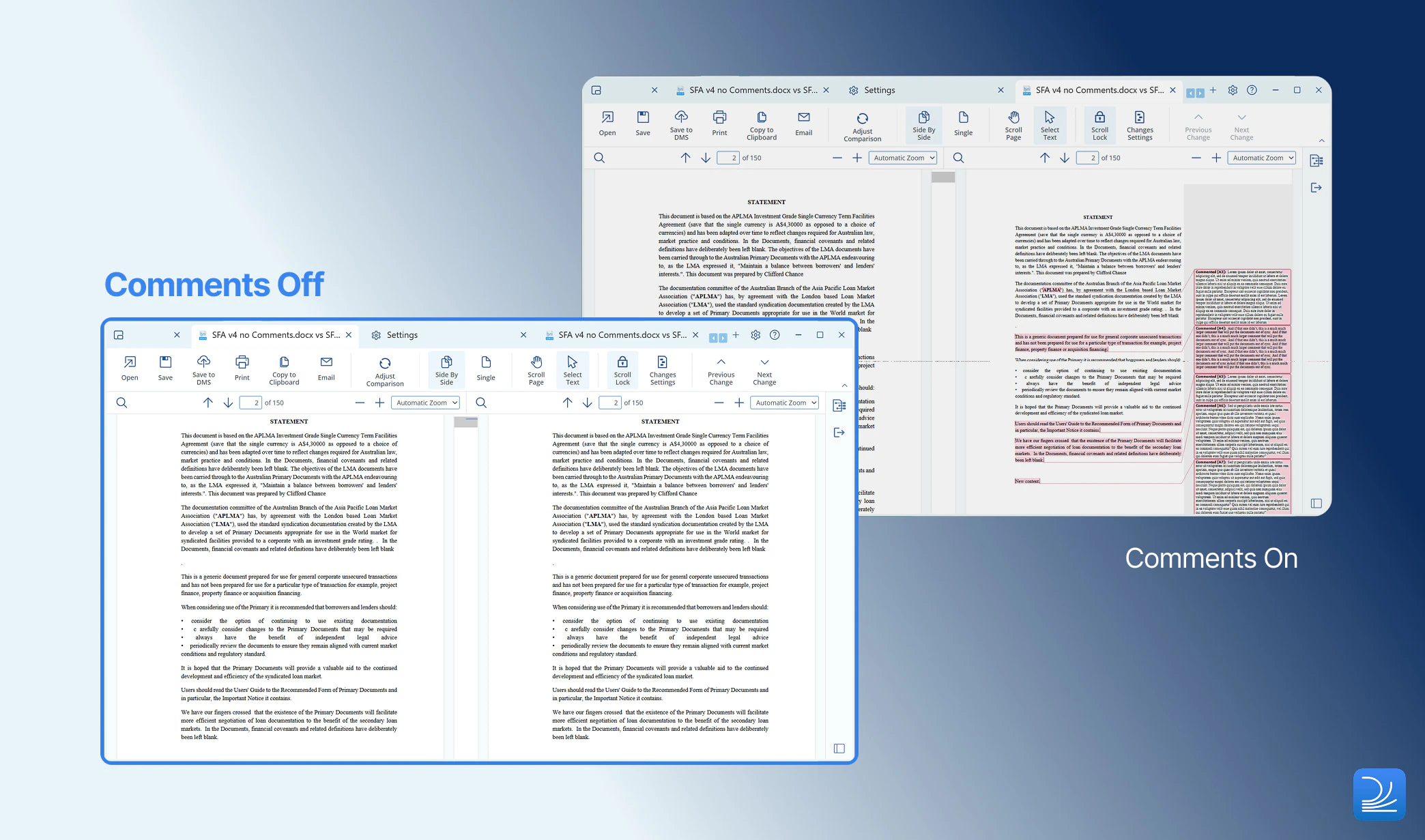
See only meaningful changes in side-by-side comparisons by turning on the new toggle to exclude comments
Work faster with PDFs and large text through improved PDF preprocessing, upgraded OCR, and lag-free text preview rendering
Let’s explore these in more detail.But first, a note from our product teamOur product improvements are the direct result of insights from our customers. We are extremely grateful for the excellent feedback we received which allowed the January 2026 release to be possible.If you have feature ideas or product performance feedback, we would love to hear from you. Please share any suggestions with us by contacting product@draftable.com.
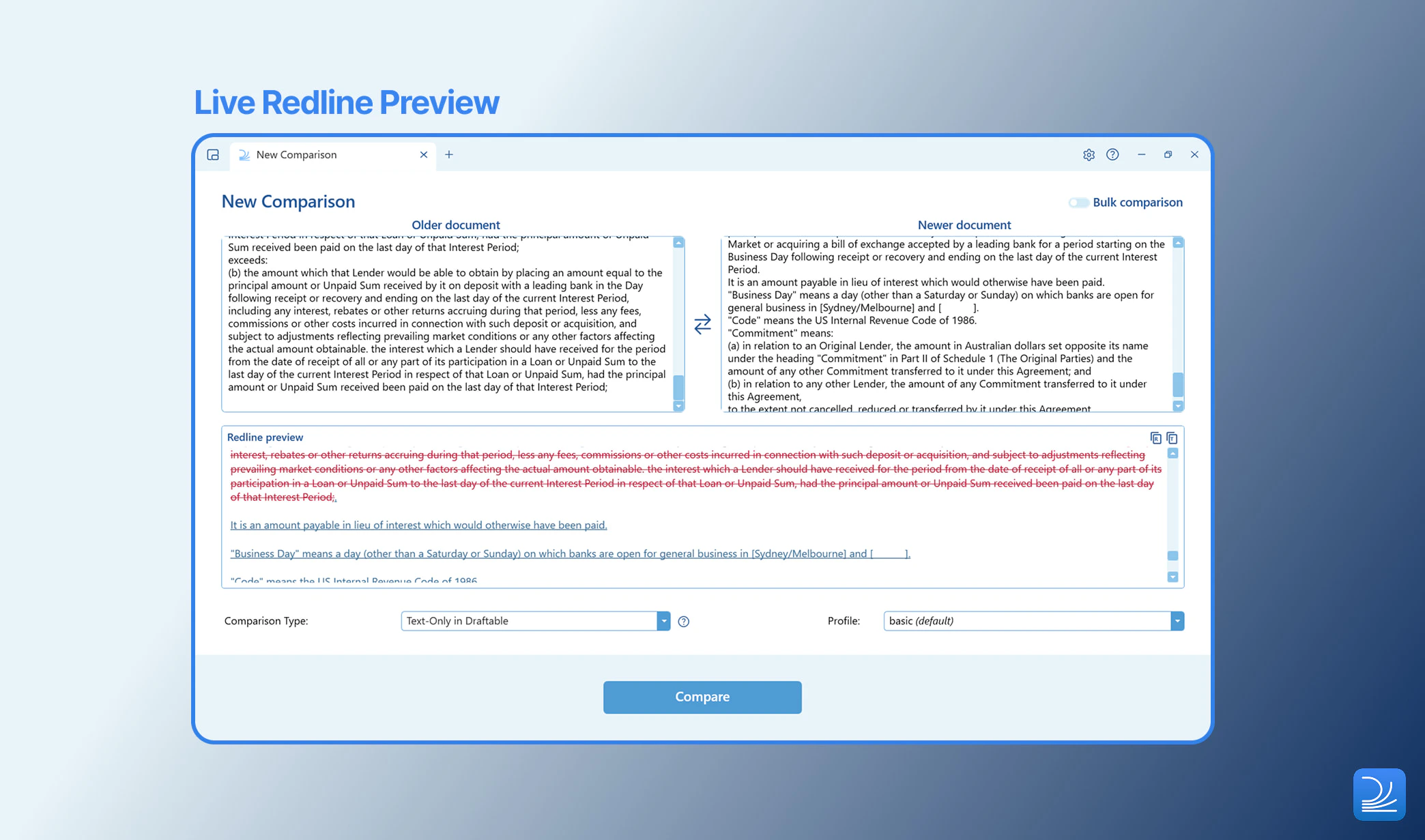
Text-Only Compare mode is now available as a new comparison type in Draftable. This feature enables users to run comparisons that focus purely on the document’s text (including comments) — stripping out all formatting, styles, numbering, and layout details from DOCX and PDF files.This “safe mode” is especially useful when comparing files that cause errors, contain complex or problematic formatting (e.g. overlapping charts/tables), or produce any other unexpected results in standard comparisons. It provides a fallback method for detecting substantive changes when formatting noise or technical issues interfere with output quality.
Combine Text Only Compare with 3-pane mode to view text-only output with context to the source document.
Focus on substantive content changes by excluding comments from side-by-side comparisons. This reduces the visual clutter and compression caused by comments sidebar, and helps reviewers concentrate on actual insertions, deletions, and moves.This option can be toggled in General > Conversion Engine > “Preserve Word comments when converting to PDF”. By default, comments are included.
Non-DMS files are now automatically sorted into older/newer order based on metadata such as filenames (e.g. if including reference to version numbers) or file modification or creation dates. This reduces the need for file order switching when comparing non-DMS documents - just drag, drop and compare.This option can be toggled in General > New Comparison > “Smart File Ordering”.
Swap anytime — even if there’s only one document loaded. The swap button is now enabled as soon as a file is added, making it easy to recover from setup slip-ups without unnecessary reloads or steps.
Draftable now offers support for co-authored documents - the collaborative editing workflow in iManage Work. You can confidently compare documents that have been co-authored in Microsoft Word and saved directly to iManage.
SharePoint heavy usage mode configurable via Group Policy
Administrators now have tighter control over performance settings with Group Policy support for SharePoint “Heavy Usage Mode” — a SharePoint integration setting designed for users managing 1000+ SharePoint sites. This enables firms to standardise configuration and optimise performance across large deployments.
Generate PDF redlines more quickly and reliably with improved PDF compatibility transforms and an upgrade to Tungsten OCR 2025. These changes reduce preprocessing time while improving text recognition quality in scanned and image-based PDFs.
Review large text inputs without performance degradation. Improvements to how long text is rendered in text preview prevents lag when working with extensive clauses, schedules, or pasted content, allowing reviewers to scroll, search, and compare without interruption.