

Starting a free trial
As of v26.6.0, Draftable Clean includes a self-serve free trial. If you don’t yet have a license, you can start a free 5-day trial directly from the application without contacting sales first. On first launch, you will be asked to acknowledge the terms and conditions and your telemetry preferences before the trial begins. See Single-user Installation for setup steps.Checking license status
To check your license status, open Settings > License. This shows:- Status — Whether the license is active (Licensed) or expired
- Edition — Your Draftable Clean edition
- Expires — The license expiry date
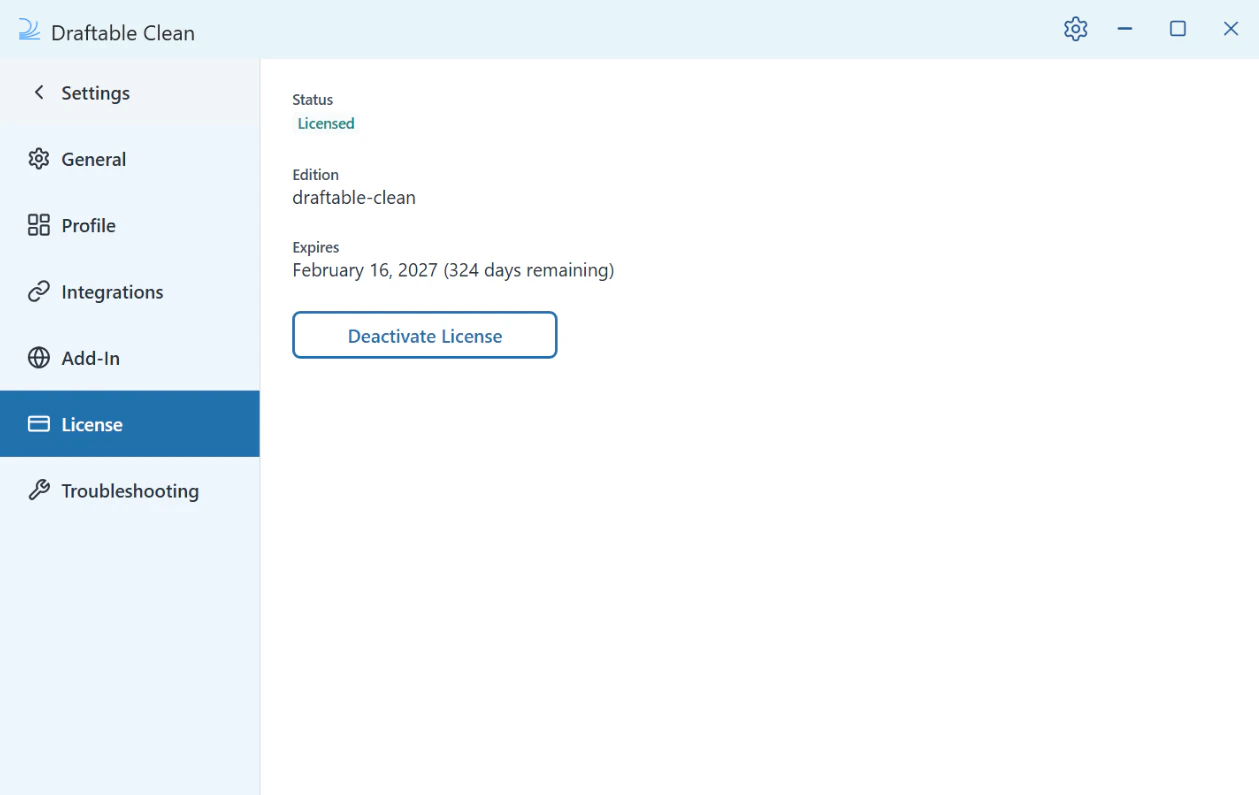
Opening the License tab revalidates your license with the licensing server, and an expired license is refreshed automatically. If your license has been renewed, open Settings > License to see the updated status without restarting Draftable Clean.
License not activating
If your license is not activating:- Ensure you have network connectivity — Draftable Clean requires a connection to
draftable.comon port 443 for license verification. See Network Requirements. - Verify the product key was entered correctly.
- If the issue persists, contact support@draftable.com with your product key and any error messages.