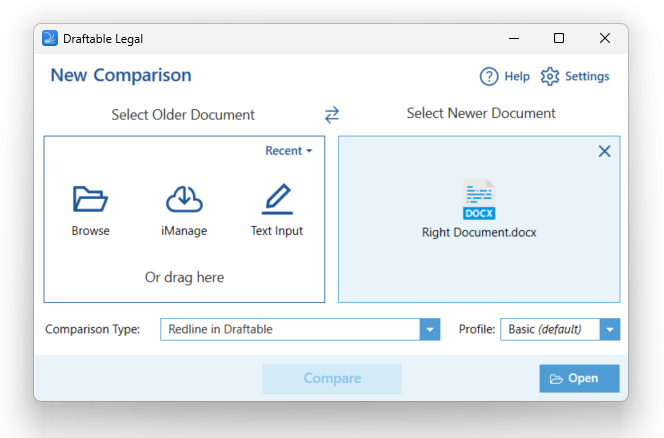
How to run a Draftable Comparison from Microsoft Word
1
Start with Microsoft Word and open an existing document
2
Navigate to the Draftable tab and select it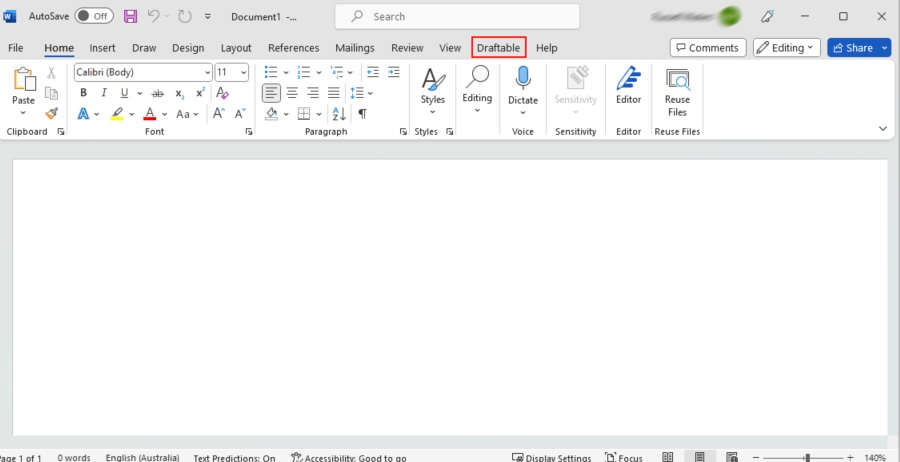
3
Click Compare
4
The New Comparison window will open, with the document already preloaded for you (Note: to load the file into new comparison window, ensure the document is locally saved). Simply add the other document you wish to add to the comparison and hit Compare