

- Ensure you have administrative access to the server running the Draftable API Self-Hosted instance.
- Verify that Docker and Docker Compose are installed on the server.
Steps to Update the Draftable API Self-Hosted Instance
1
Pull the Latest Docker ImageUse the
docker pull command to download the latest image from the Draftable repository:docker pull draftable/apish:latest This command ensures that the most recent version of the image is downloaded to your server.2
Update the
docker-compose.yml FileThe docker-compose.yml file defines how your container is configured and deployed. Locate this file in the directory where your Draftable API instance is hosted.- Open the file in a your preferred text editor.
- Update the
imagefield under theservicessection to ensure it references the latest image:
- Save and exit the editor
3
Restart the ContainerTo apply the updates, restart your container with the updated configuration:Start by shutting down the container:
docker-compose downThen restart the container with:docker-compose upTo apply the updates, restart your container with the updated configuration:Start by shutting down the container:docker-compose downThen restart the container with:docker-compose upYou should see the container begin to restart, now using the latest image specified. 4
Verify the Update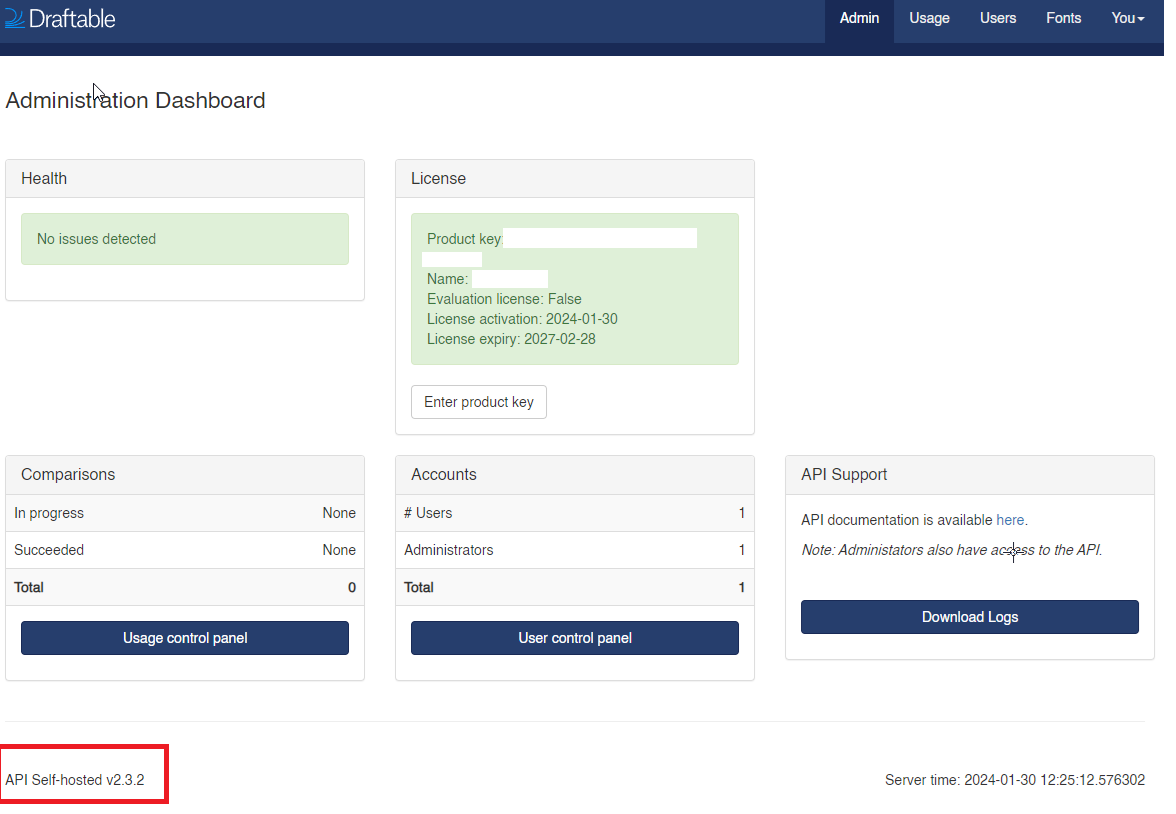
- Check that the container is running:
docker ps - Navigate to your instance’s web interface or API endpoint to confirm it is operational.
- You can also confirm the version of Self Hosted, by navigating to the Admin page and checking the bottom left corner.