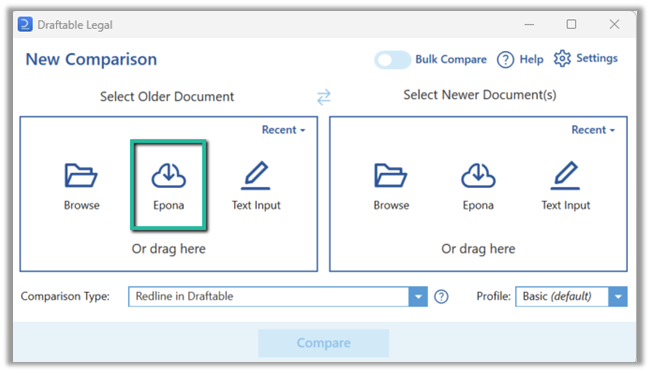
The settings menu was reorganised in Draftable Legal 26.6. If you are on 26.6 or later, follow the “26.6 and later” tabs below. On earlier versions, follow “Before 26.6”. To check your version, open Settings. The version number shows at the bottom-left (for example, v26.6.0).
Enabling your Epona integration in Draftable Legal
1
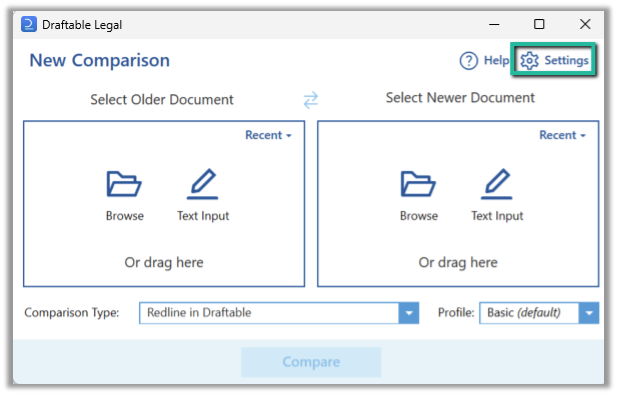
Open the Draftable Legal, New Comparison Window and select ‘settings’ in the top right corner of the Window.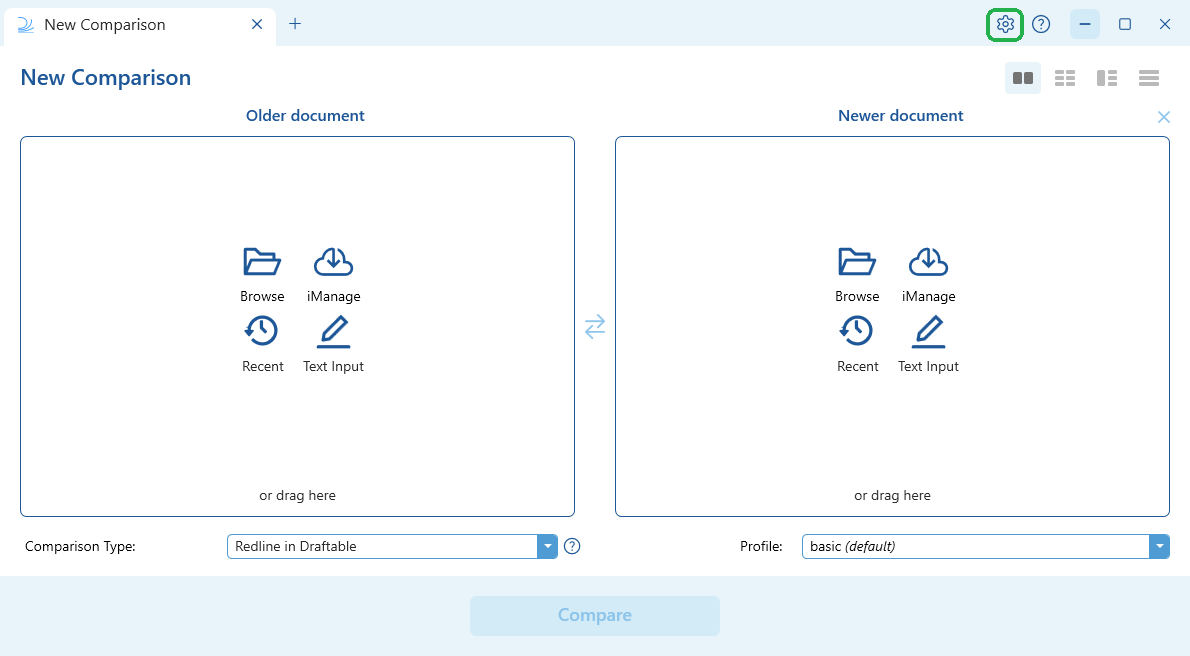
- 26.6 and later
- Before 26.6
2
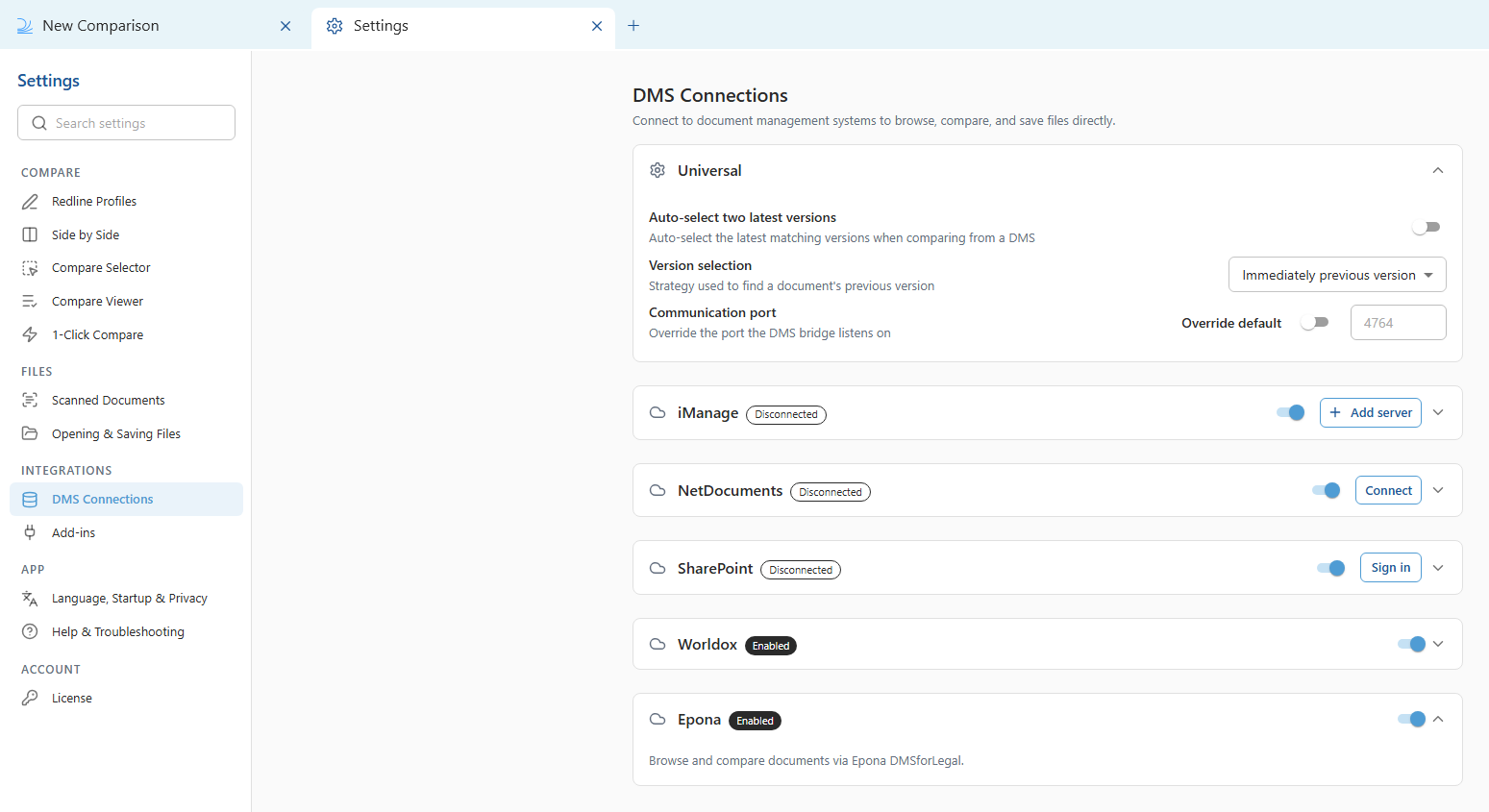
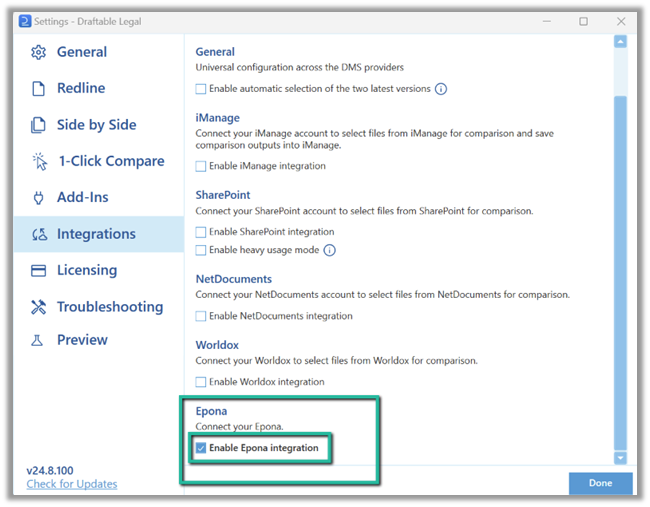
Open the Epona settings and turn on the integration. Epona must be enabled first before you can load files from or save files to your Epona matter.
- 26.6 and later
- Before 26.6
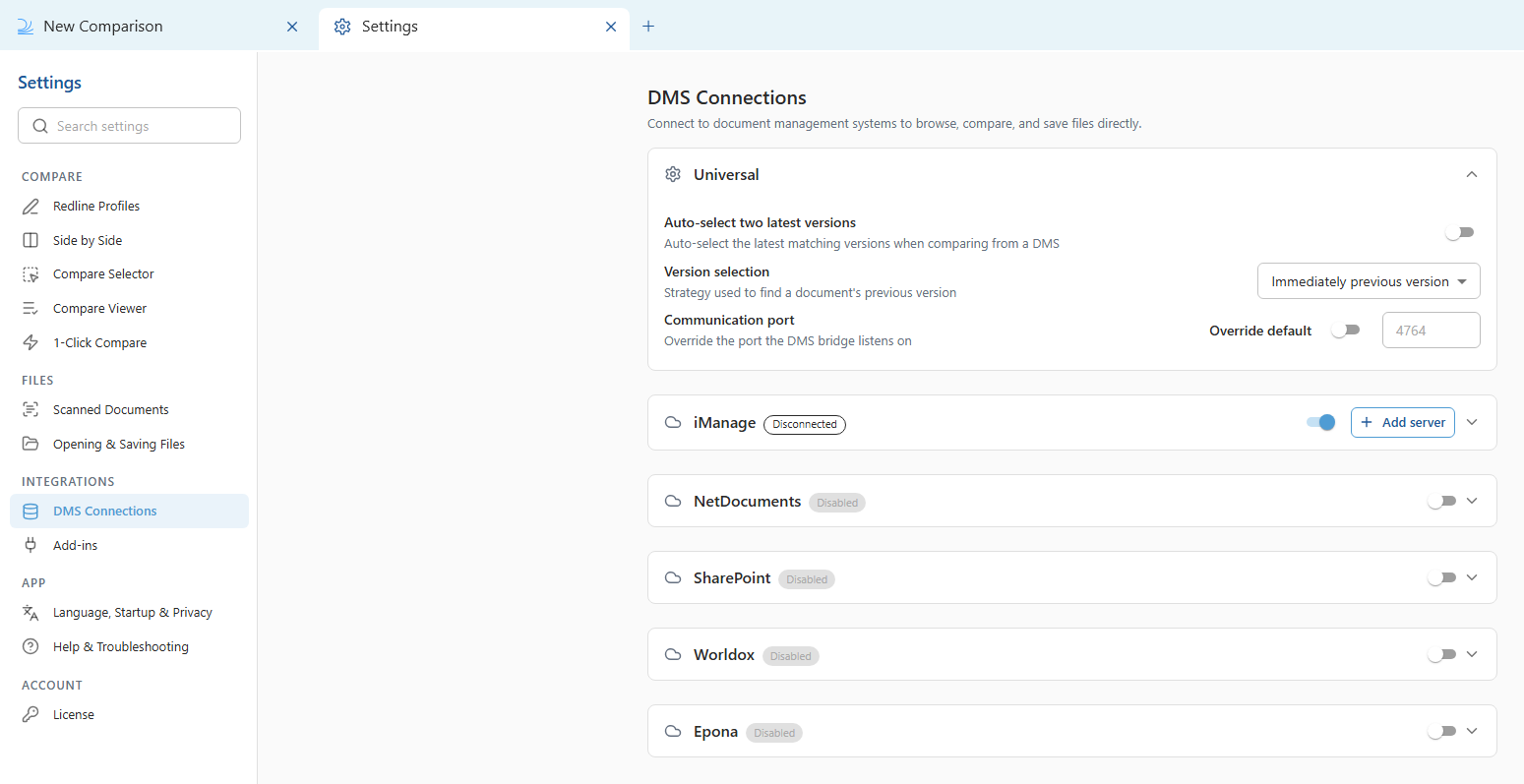
In the settings menu, select DMS Connections, then expand the Epona accordion.Turn on the Epona toggle to enable the integration (this was previously called “Enable Epona Integration”).
3
Close the settings to return to the New Comparison Window. Your Epona integration should now be enabled. You can confirm this by checking the Epona file selection menu is available in the New Comparison Window (see below).