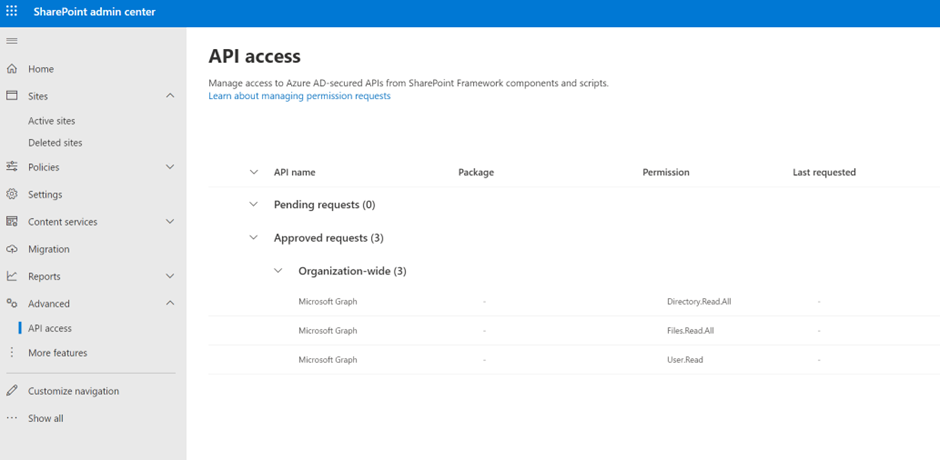
Note, once the Draftable App for SharePoint is enabled, API access for the following needs to be approved:
- Microsoft Graph, Directory.Read.All
- Microsoft Graph, Files.Read.All
- Microsoft Graph, User.Read
Enabling SharePoint App
1
Login into your SharePoint Admin Center and navigate to More features then select Open under Apps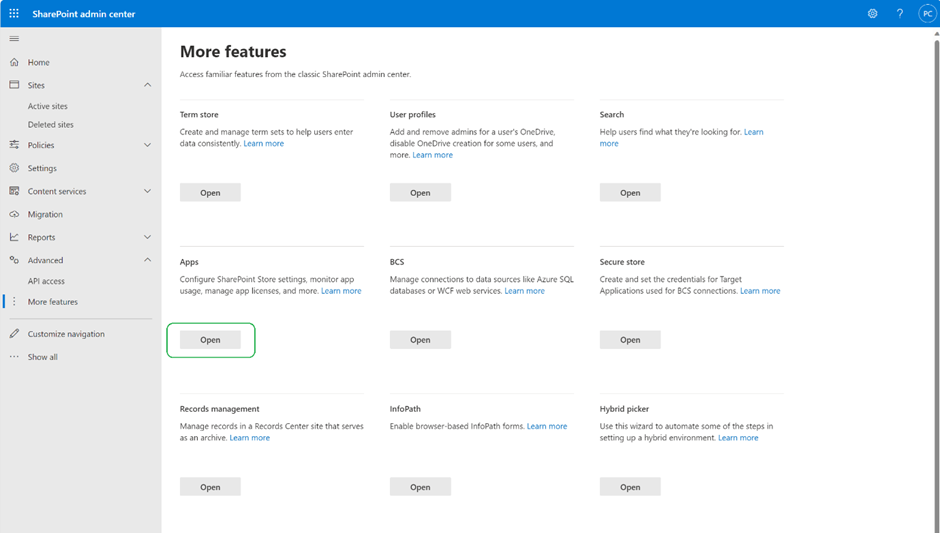
2
Click Upload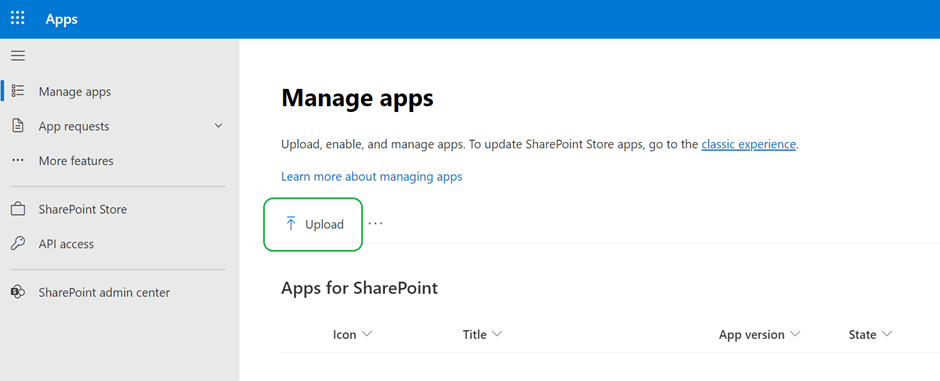
3
Navigate to the location below, select the “draftable-sharepoint-extension.sppkg” file and click open.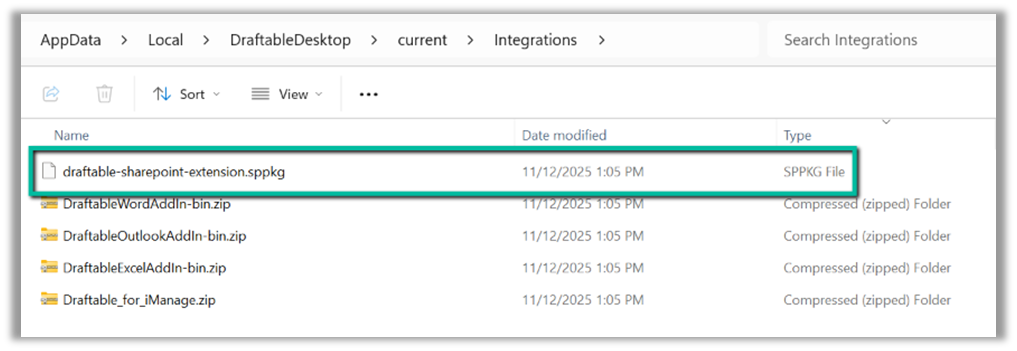
4
Select Enable app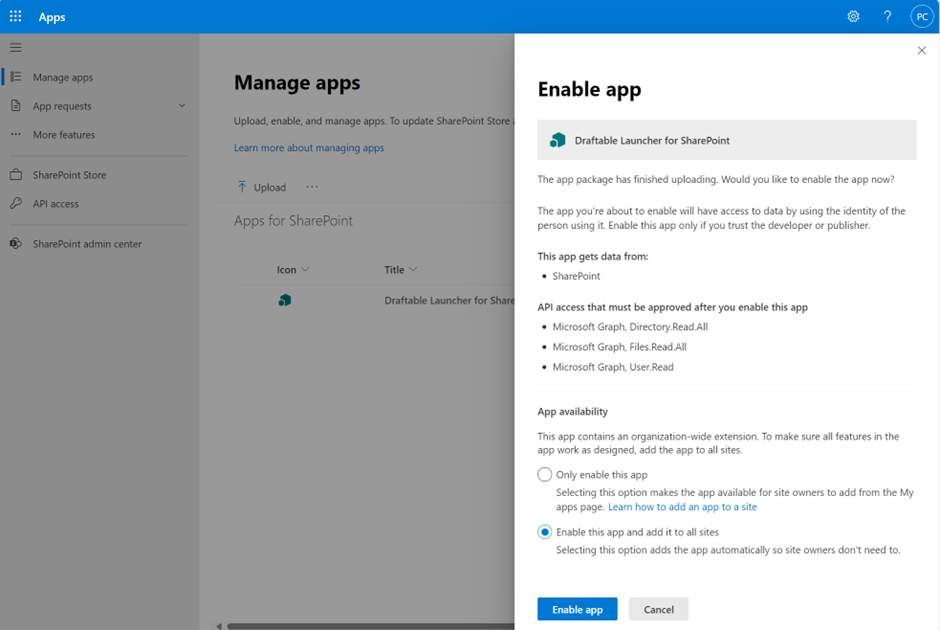
Approving Draftable App access to APIs
1
Draftable needs approval to access the graph API proceed to the API access page by clicking Go to API access page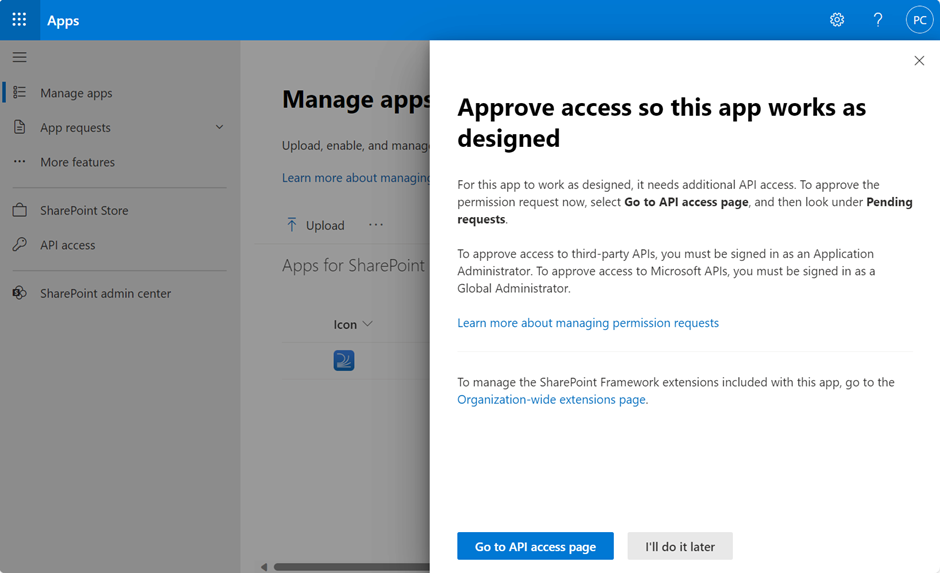
2
Under pending requests approve each of the following individual permissions: Directory.Read.All, Files.Read.All, User.Read, by clicking Approve.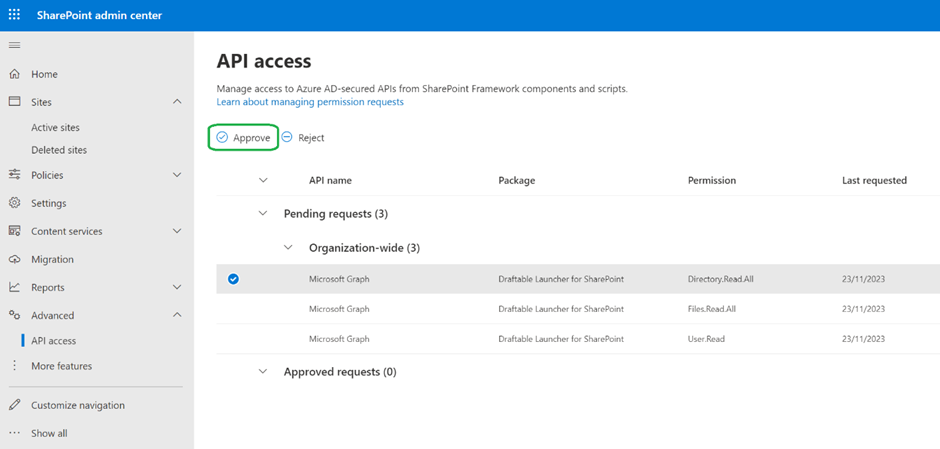
3
Click Approve again in the confirmation modal.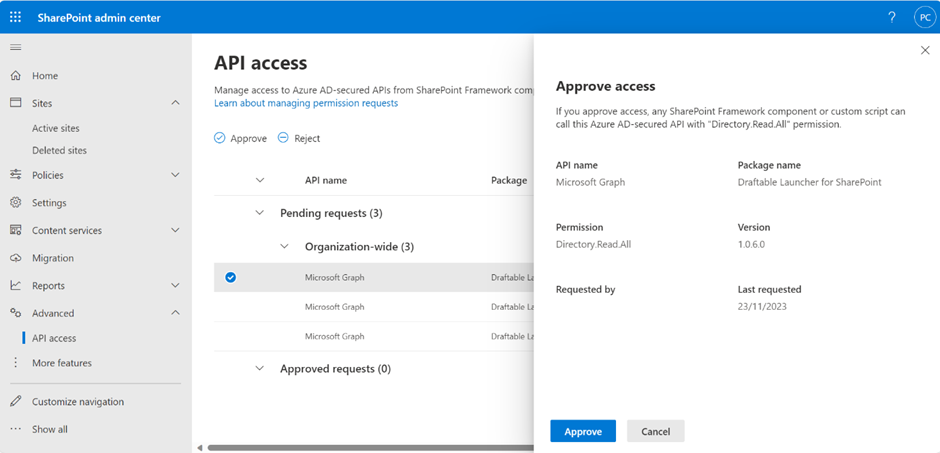
Note: You will need to repeat the above steps for each permission.
Confirm permissions have been approved
1
Confirm that the permissions have been approved by viewing each permission has now been moved to Approved requests