

1
Open Outlook.
2
Click on the DMSForLegal option in the Outlook Ribbon and then select the Options button.
3
The DMSforLegal configuration window will pop up. Click on the External tab and change the Document Comparison software option to Draftable and the Comparison completed action to Open in Draftable.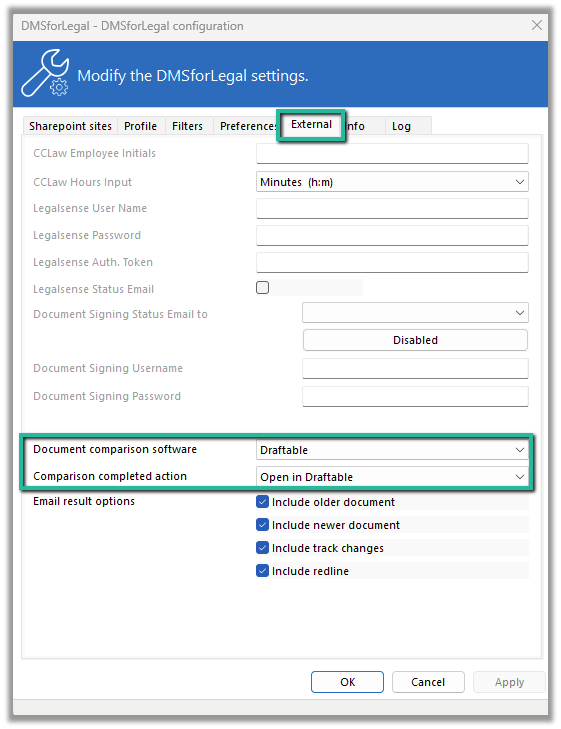
4
If you have not already done so, you can select the Email results options as well.
5
When everything is set, hit the Apply and ok buttons and you will be good to go