

The settings menu was reorganised in Draftable Legal 26.6. If you are on 26.6 or later, follow the “26.6 and later” tabs below. On earlier versions, follow “Before 26.6”. To check your version, open Settings. The version number shows at the bottom-left (for example, v26.6.0).
How to access document version control
1
In the New Comparison window, load a document that has multiple versions from iManage. Select iManage in either the Older document or Newer document panel, then choose the document you want.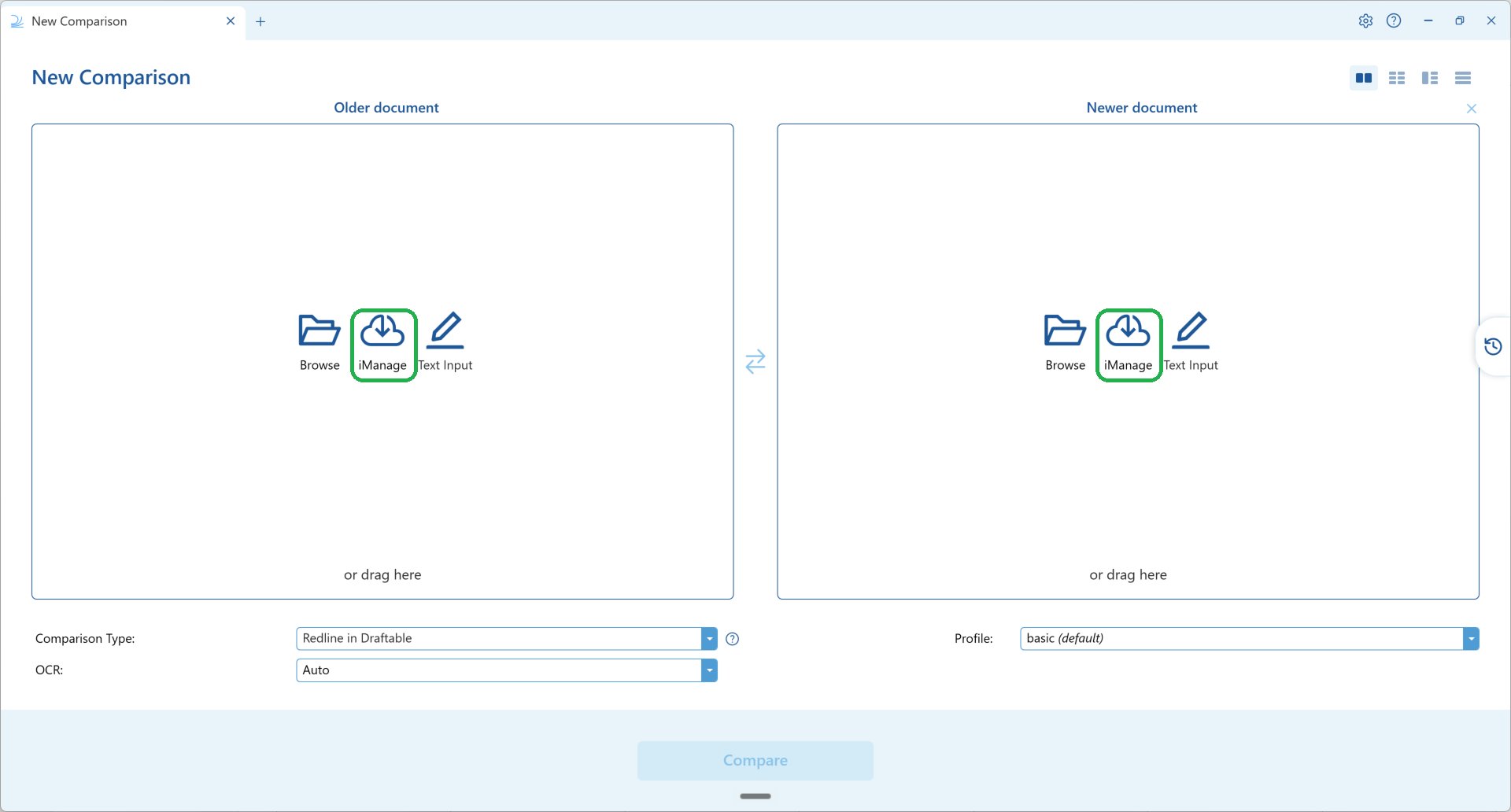
2
Once the document is loaded, a Versions: row appears underneath the file name with two options, change and add.
These two options were introduced in Draftable Legal v26.4.0. In versions before v26.4.0 this control was a single Select Version link that opened a window headed “Select up to two files”. If you still see Select Version, you are on an earlier version and should update Draftable to use the options described below.
3
Select change to swap the loaded file for a different version of the same document. The Change version dialog lists every version held in iManage. Pick the version you want and click Replace.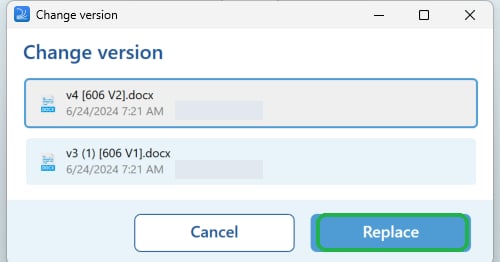
4
Select add to bring another version of the same document into the comparison as a second file. The Add versions dialog lists the same versions; select the one you want and click Add, which shows the number of versions you have selected.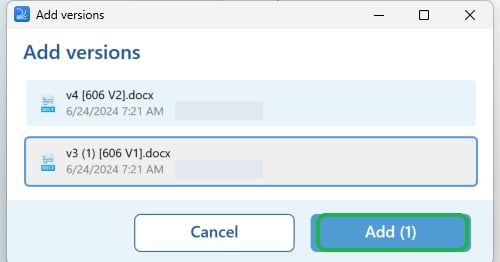
5
Both versions are now loaded and ready to compare. Check that the earlier version is in the Older document panel and the later version is in the Newer document panel, then click Compare.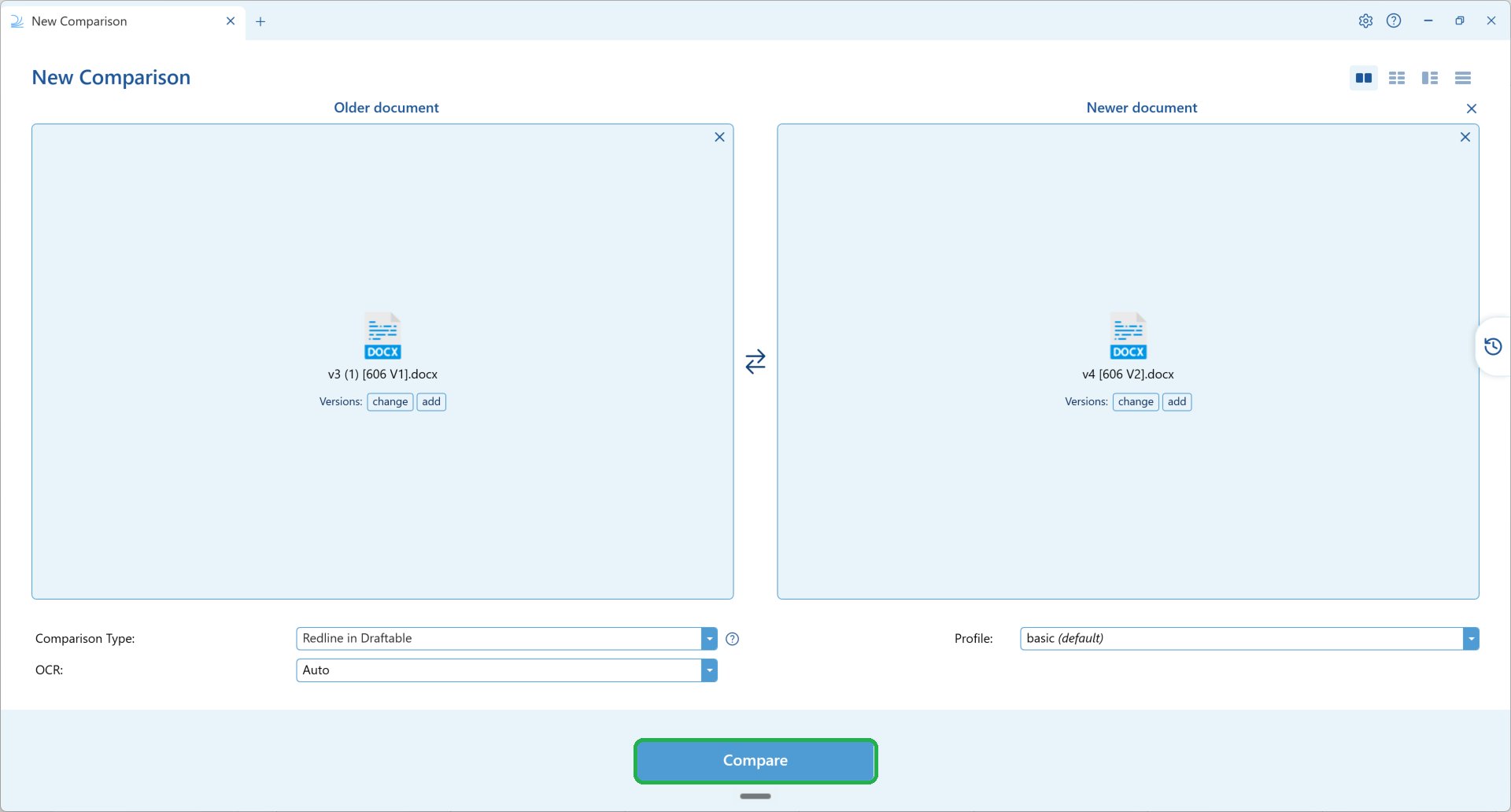
When you add a single version this way, Draftable places it in the empty panel on the other side, whether it is older or newer than the document already loaded. If they are the wrong way round, click the swap arrows between the two panels to switch them before comparing.