

Obtaining your iManage Client ID
1
Open and log into the iManage Control Centre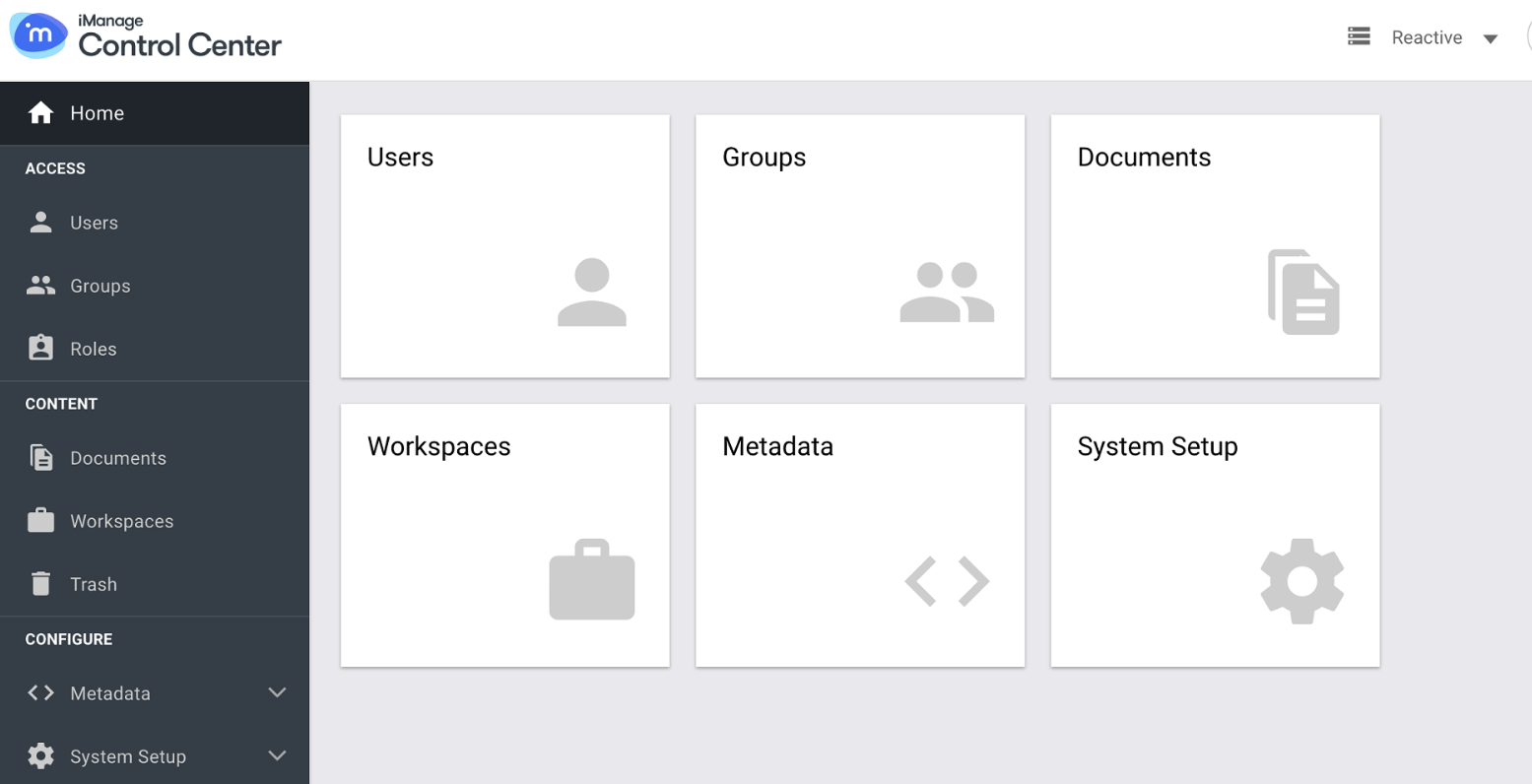
2
Scroll down on the left hand menu until you see Applications. Click on the Applications option.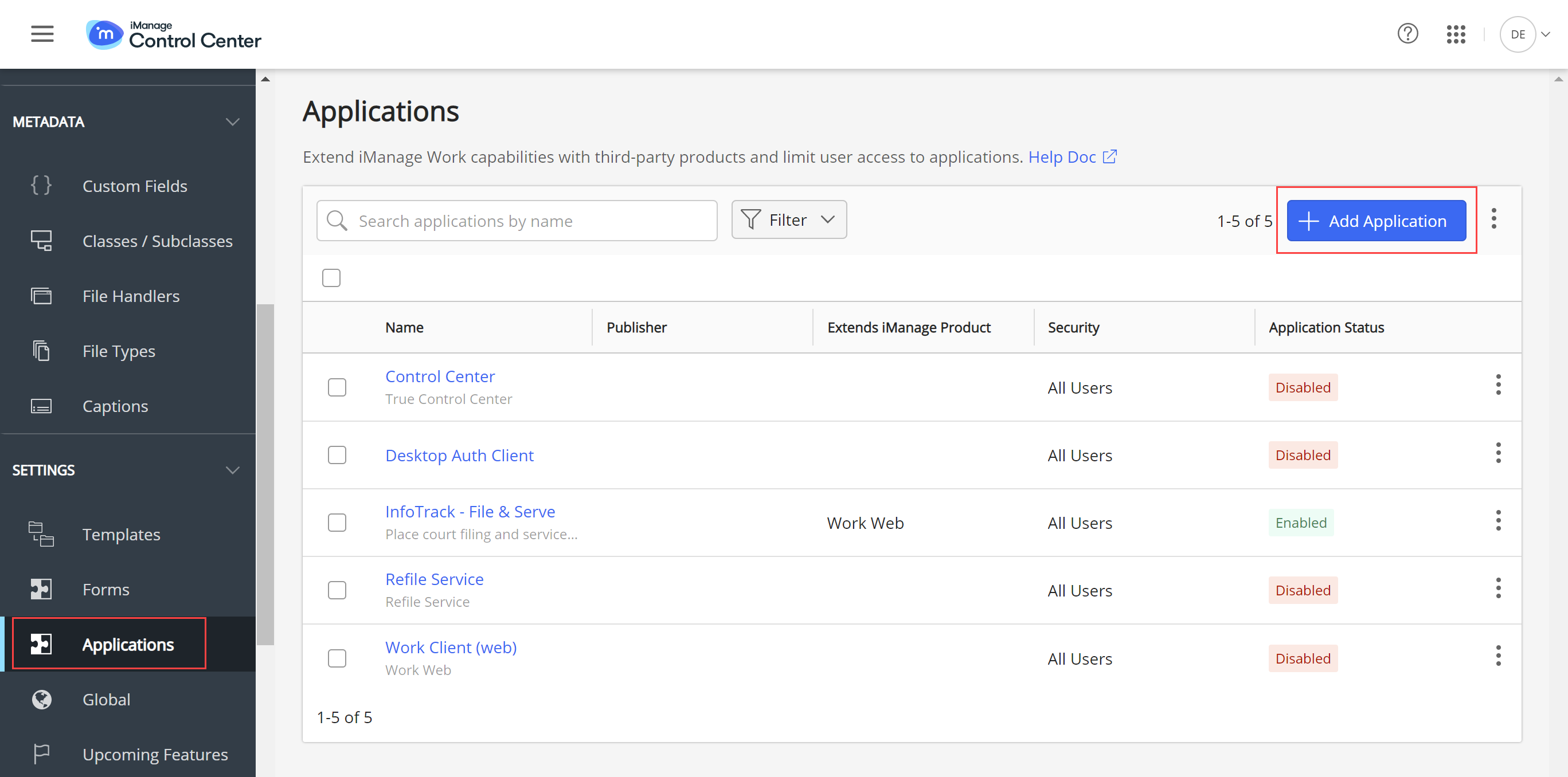
3
The Applications section will load. Now search for the Draftable Pro Application name (This is the name that was specified for Drafatble Pro by your team). Click on the Application name to load the details.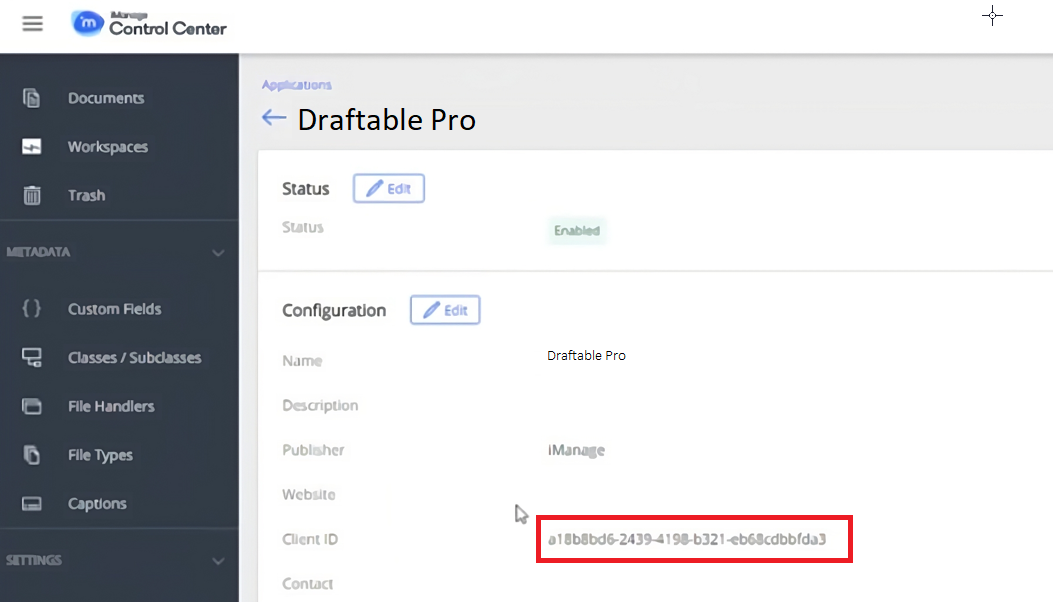
4
You will find the Client ID information in the Client ID section as shown above.