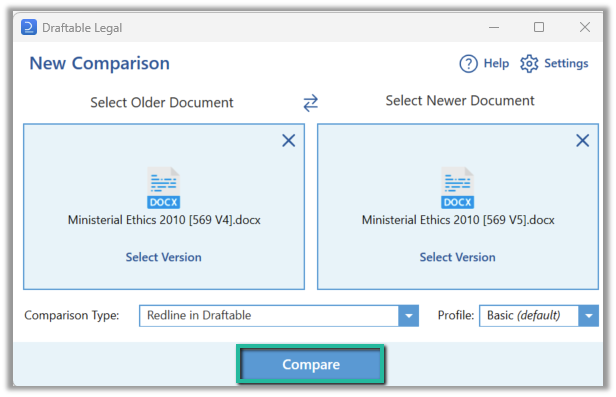
Before you follow these steps, make sure your iManage integration is configured. If needed, complete the configuration first.
How to launch comparisons directly from iManage
There are a few methods to launch comparisons from iManage, either using the context menus or the toolbar within iManage. To ensure you are getting the absolute full usage of this feature, below outlines all the possible avenues of launching comparisons directly from iManage.In the current Draftable integration for iManage, the menu action is named Compare. The screenshots below show Compare with Draftable, the label used by earlier versions of the integration. Your administrator can also add Compare versions, 1-Click Compare and Compare with latest as separate actions.
Launching comparisons via the context menu
1
Navigate to the desired matter which contains the desired files you want to compare.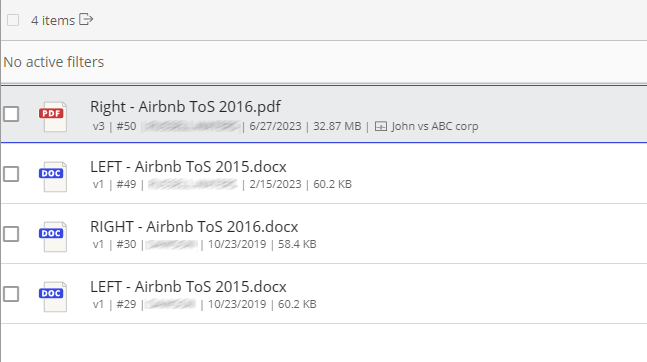
2
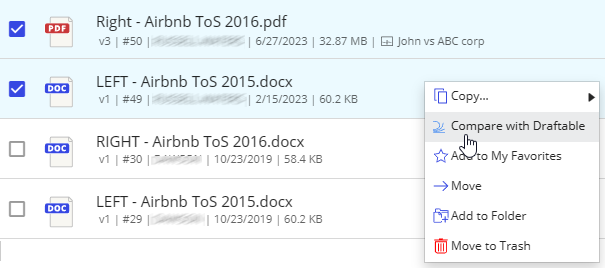
Select a file, right-click it, and then select Compare.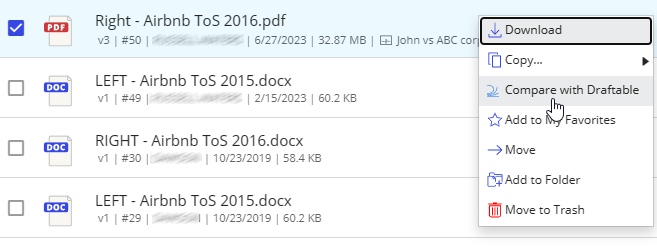
3
Regardless of whether you selected 1 or 2 documents, Draftable Legal will load the New Comparison window with the selected documents, ready for you to Compare.
Launching a comparison via the toolbar menu option
1
Navigate to the desired matter which contains the desired files you want to compare.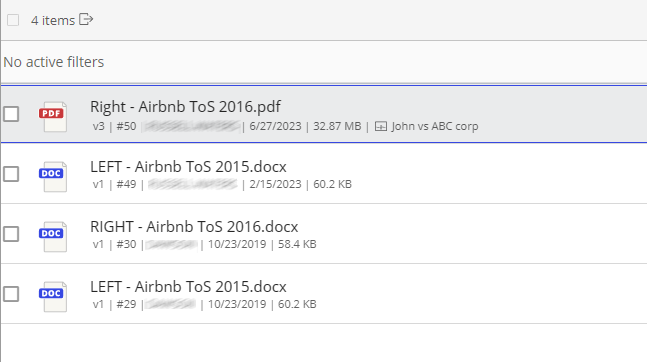
2
Select your file or files, then select the Compare icon in the toolbar.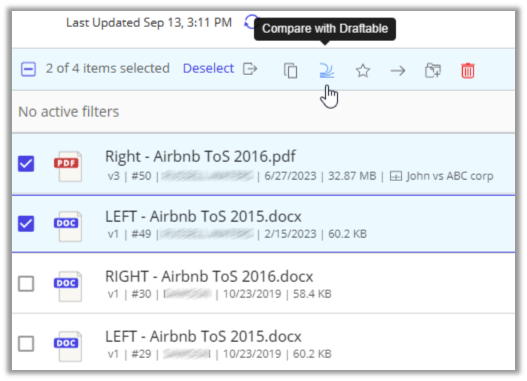
3
Regardless of whether you selected 1 or 2 documents, Draftable Legal will load the New Comparison window with the selected documents, ready for you to Compare.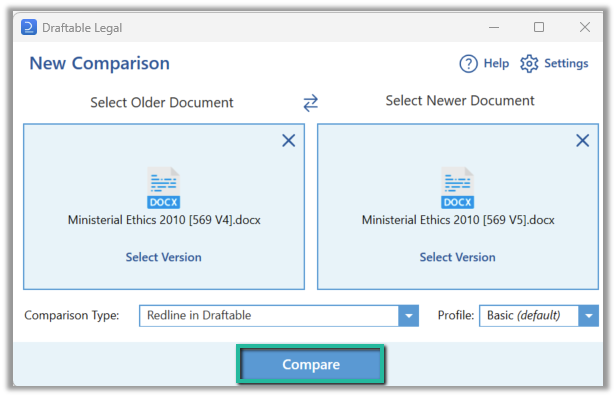
Launching a comparison using a specific document version within the version tab
If you want to compare a specific version of a document in iManage, you can by going to the versions tab.1
Select the file you want to compare the select the versions tab located on the right-hand side.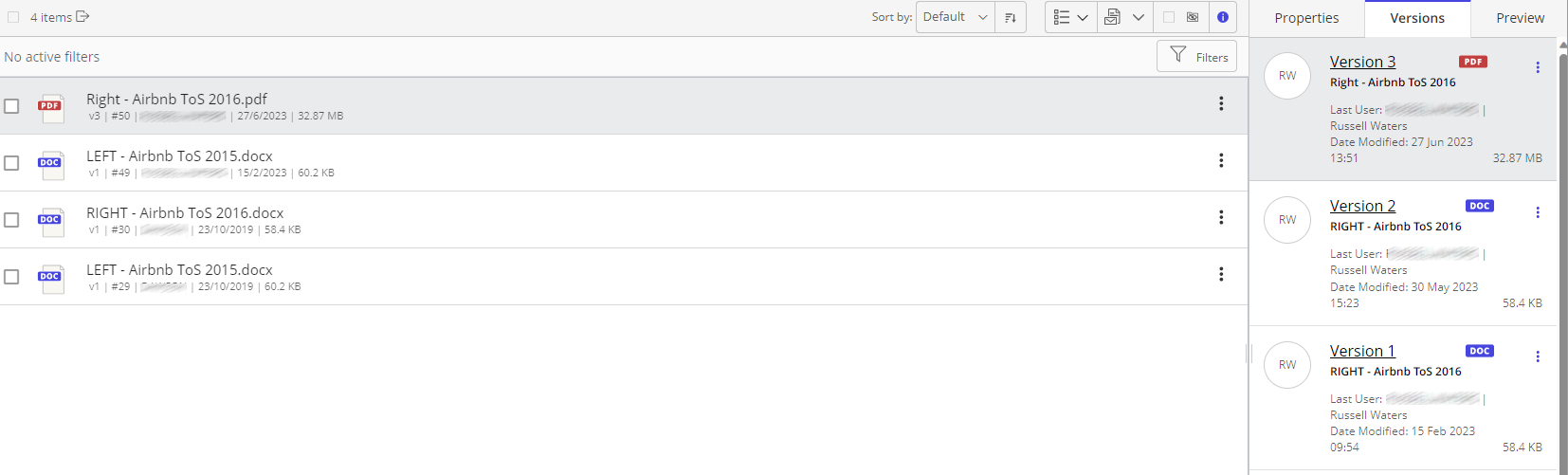
2
In the versions tab, select and right-click the document you wish to compare by opening up the context menu.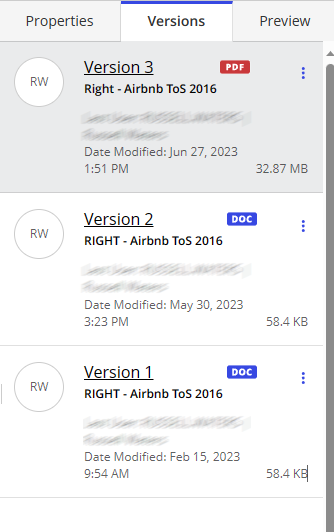
3
Select Compare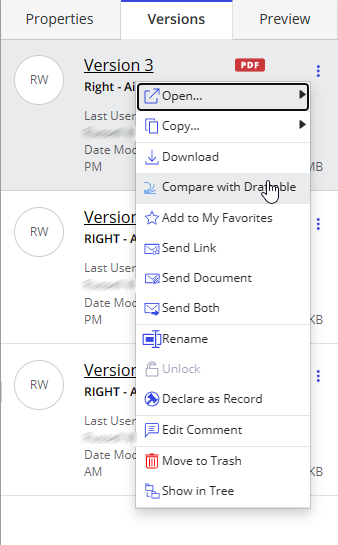
4
Draftable Legal will load the New Comparison window with the selected document, ready for you to Compare.